Me-Page Team
Last modified 3 Nov 2025
Article Plan
- Why a Custom Domain Matters for Your Brand
- Step-by-Step Domain Integration Guide
- Benefits of Using a Custom URL Setup with ME-Page
- Common Questions About Custom Domain Setup
- #blockContent1762156245336-11 .custom-1762156274296-0 { font-family: Arial; font-size: 28px } #blockContent1762156245336-11 .custom-1762156274296-1 { color: #34495e } #blockContent1762156245336-11 .custom-1762156747853-0 { font-size: 24px } How long does it take for my domain to connect?
- #blockContent1762156352938-17 .custom-1762156274296-0 { font-family: Arial; font-size: 28px } #blockContent1762156352938-17 .custom-1762156274296-1 { color: #34495e } #blockContent1762156352938-17 .custom-1762156433142-0 { color: rgb(52, 73, 94); font-family: Arial; font-size: 28px; font-weight: bold; line-height: 39.2px; background: none 0% 0% / auto repeat scroll padding-box border-box rgba(0, 0, 0, 0) } #blockContent1762156352938-17 .custom-1762156763617-0 { font-size: 24px } What if my verification fails?
- #blockContent1762156355020-23 .custom-1762156274296-0 { font-family: Arial; font-size: 28px } #blockContent1762156355020-23 .custom-1762156274296-1 { color: #34495e } #blockContent1762156355020-23 .custom-1762156555561-0 { color: rgb(52, 73, 94); font-family: Arial; font-size: 28px; font-weight: bold; line-height: 39.2px; background: none 0% 0% / auto repeat scroll padding-box border-box rgba(0, 0, 0, 0) } #blockContent1762156355020-23 .custom-1762156773349-0 { font-size: 24px } Do I need technical knowledge?
- #blockContent1762156356390-29 .custom-1762156274296-0 { font-family: Arial; font-size: 28px } #blockContent1762156356390-29 .custom-1762156274296-1 { color: #34495e } #blockContent1762156356390-29 .custom-1762156608160-0 { color: rgb(52, 73, 94); font-family: Arial; font-size: 28px; font-weight: bold; line-height: 39.2px; background: none 0% 0% / auto repeat scroll padding-box border-box rgba(0, 0, 0, 0) } #blockContent1762156356390-29 .custom-1762156784918-0 { font-size: 24px } Can I switch back to the ME-Page domain later?
- #blockContent1762156357793-35 .custom-1762156274296-0 { font-family: Arial; font-size: 28px } #blockContent1762156357793-35 .custom-1762156274296-1 { color: #34495e } #blockContent1762156357793-35 .custom-1762156643839-0 { color: rgb(52, 73, 94); font-family: Arial; font-size: 28px; font-weight: bold; line-height: 39.2px; background: none 0% 0% / auto repeat scroll padding-box border-box rgba(0, 0, 0, 0) } #blockContent1762156357793-35 .custom-1762156794051-0 { font-size: 24px } What’s the difference between a domain and subdomain?
- #blockContent1762156367904-41 .custom-1762156274296-0 { font-family: Arial; font-size: 28px } #blockContent1762156367904-41 .custom-1762156274296-1 { color: #34495e } #blockContent1762156367904-41 .custom-1762156689720-0 { color: rgb(52, 73, 94); font-family: Arial; font-size: 28px; font-weight: bold; line-height: 39.2px; background: none 0% 0% / auto repeat scroll padding-box border-box rgba(0, 0, 0, 0) } #blockContent1762156367904-41 .custom-1762156802116-0 { font-size: 24px } What if I already have a subdomain?
- Final Thoughts: Make Your Website Truly Yours
Want to make your website look more professional and build stronger brand trust? Then connecting a custom domain in ME-Page is the way to go. Instead of using a generic address like yourname.me-page.com, imagine sending visitors to www.yourbrand.com — clean, credible, and completely yours.
At ME-Page, you can easily connect your website branding domain in just a few clicks. No need to deal with confusing code or advanced setup — it’s all simplified for you.
Why a Custom Domain Matters for Your Brand
A custom URL setup isn’t just a cosmetic upgrade — it’s your online identity. Think of your website address as your digital storefront sign. Would you trust a store with a confusing, random URL? Probably not.
By connecting your custom domain to your ME-Page site, you:
- Boost professionalism: Visitors instantly recognize your brand as legitimate and established.
- Improve SEO: Search engines favor branded domains, helping your site rank higher.
- Build trust: Customers are more likely to engage with a website that reflects your brand name.
- Enhance shareability: Short, personalized URLs are easier to remember and share.
With ME-Page, connecting your own domain is as smooth as naming your project and clicking “Save."
Step-by-Step Domain Integration Guide
You don’t have to be a tech wizard to connect your custom domain. Follow this simple domain integration guide, and your branded website will be live in no time.Step 1: Access Your Project Settings
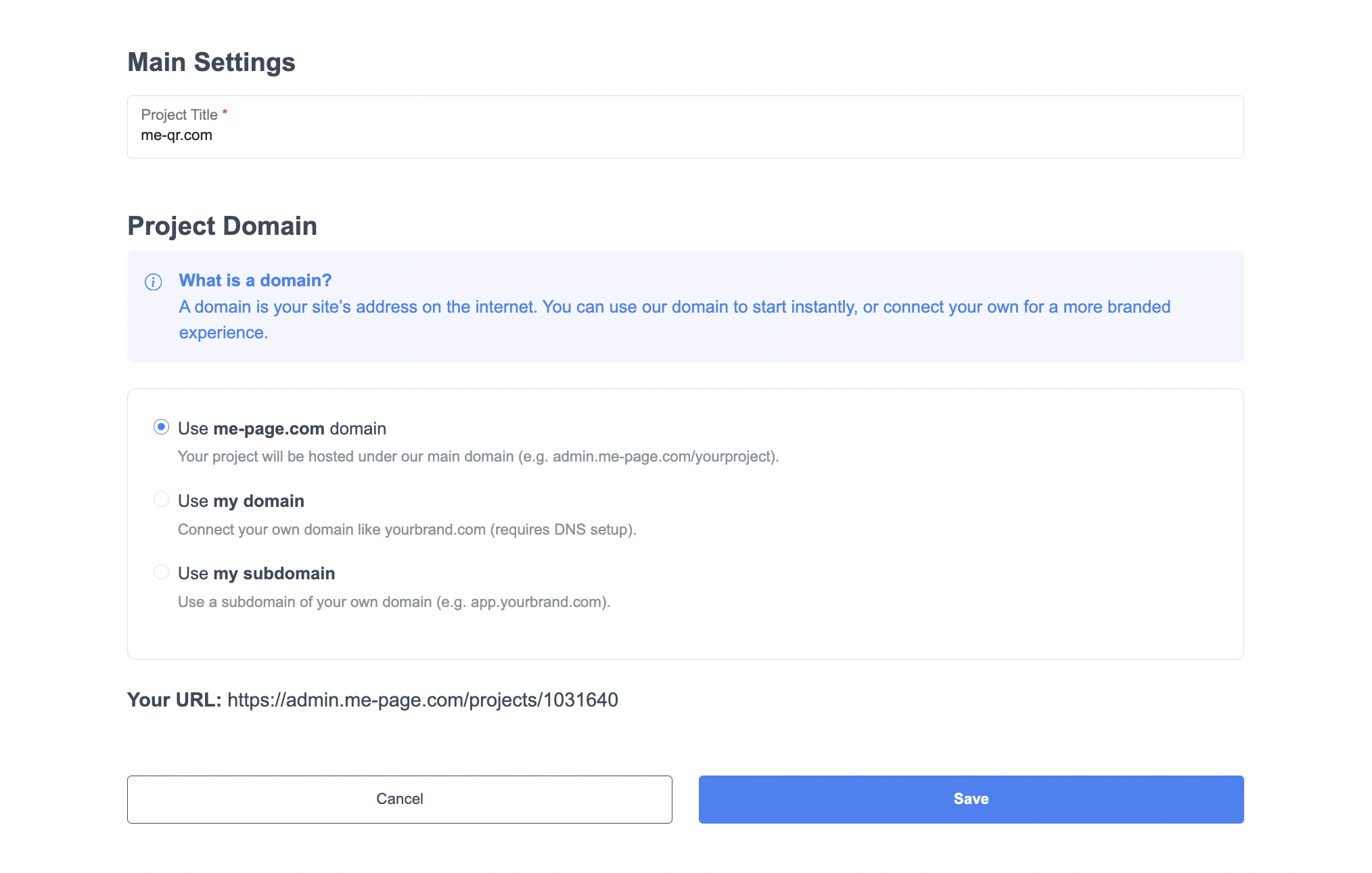
First, log into your ME-Page account and open your project dashboard. Click on “Main Settings” — this is where the setup begins.
In the “Project Title” field, name your site (for example, me-qr.com). Then scroll down to Project Domain, where you’ll see three options:
- Use me-page.com domain — great for quick publishing.
- Use my domain — ideal if you own your own web address.
- Use my subdomain — perfect for creating sections like blog.yourbrand.com or shop.yourbrand.com.
Step 2: Choose Your Domain Option
After selecting your option, you’ll be guided through the setup process.
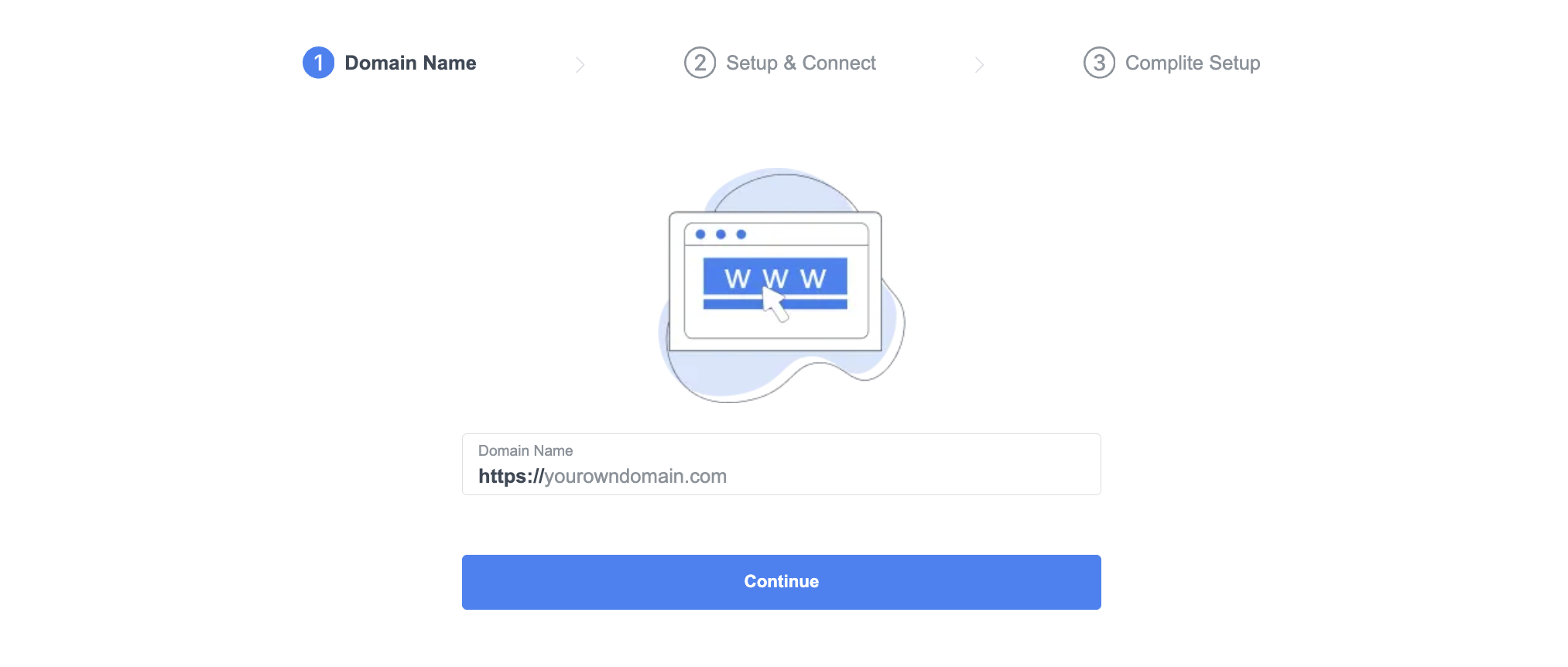
In the first step, enter your domain name — for example, https://yourbrand.com — and click Continue.
It’s that simple! This tells ME-Page that you’re ready to connect your custom URL.
Step 3: Enter and Verify Your Domain
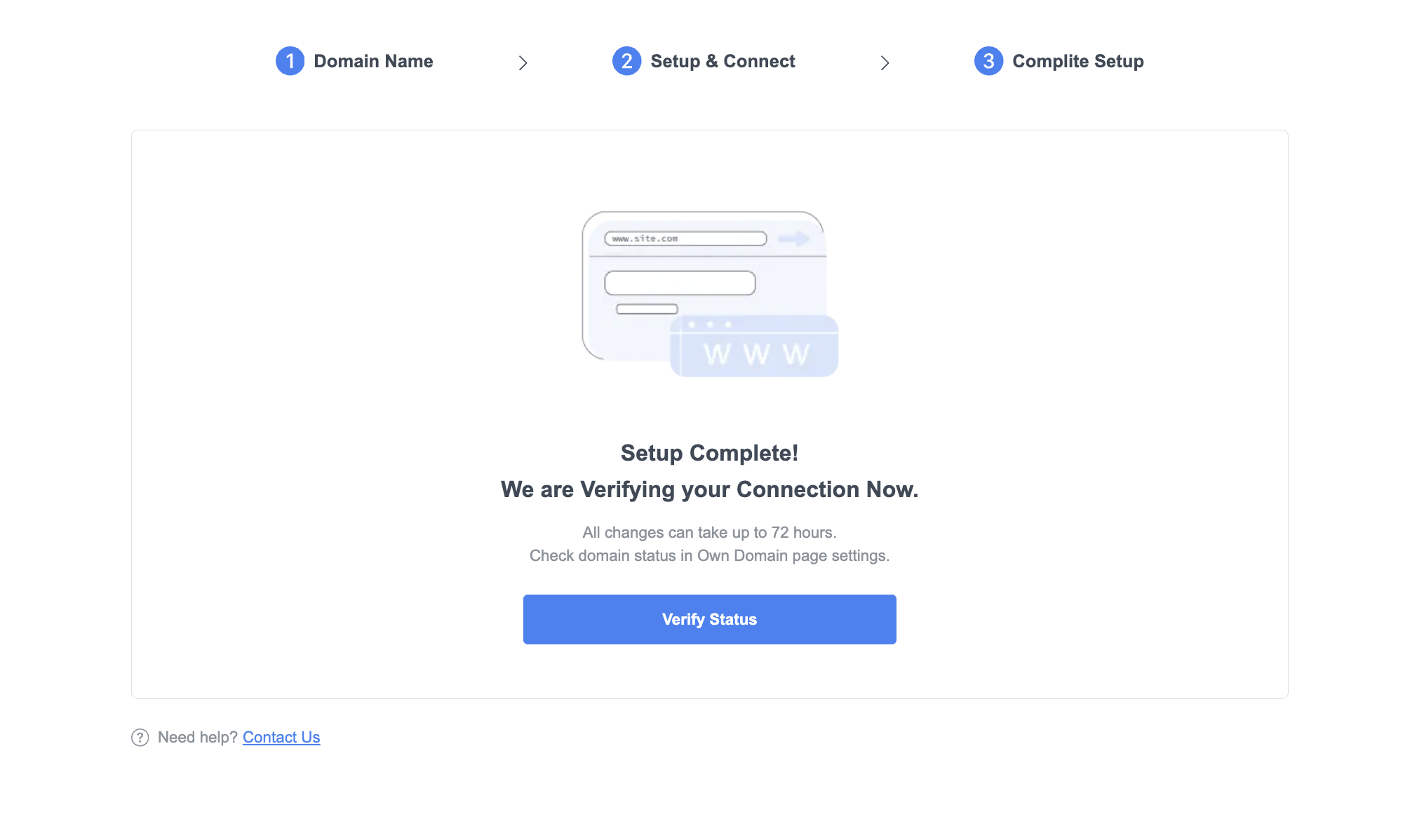
Now, ME-Page will display your domain under setup. You’ll see a visual progress bar that walks you through:
- Domain Name
- Setup & Connect
- Complete Setup
Once you enter your domain, you’ll move on to the next part: connecting it through your domain provider (like GoDaddy, Namecheap, or Google Domains).
Step 4: Update Name Servers
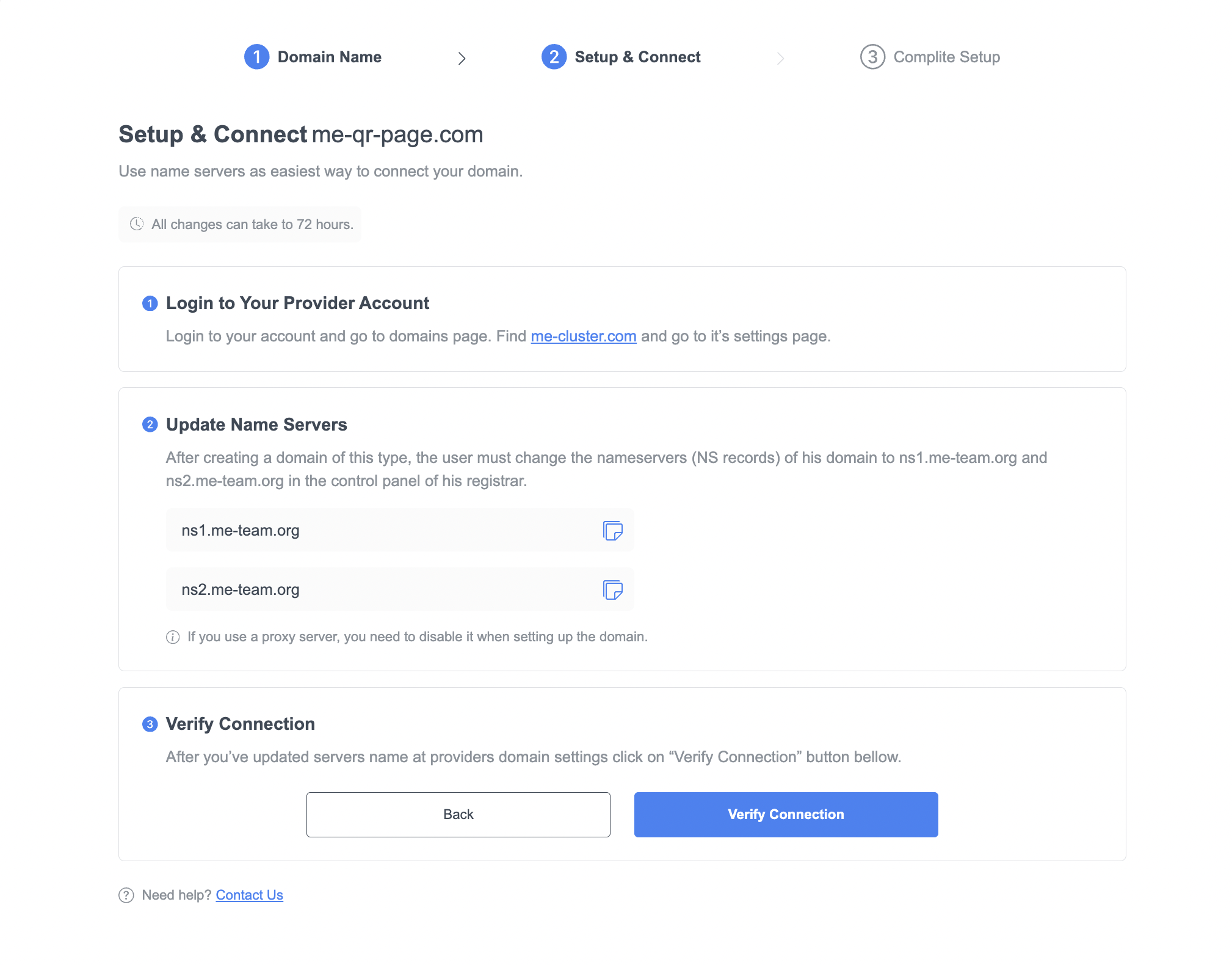
This is where ME-Page makes the domain integration super simple. You’ll see the exact Name Server records you need to enter:
ns1.me-team.orgFollow these steps:
- Log in to your domain registrar account.
- Open the DNS or Name Server settings for your domain.
- Replace the current Name Servers with the two ME-Page ones above.
- Save your changes.
That’s it! You’ve now connected your custom domain to ME-Page. It may take up to 72 hours for changes to propagate — but often it’s much faster.
Step 5: Verify and Publish Your Website
Once you’ve updated the Name Servers, go back to your ME-Page setup screen and click “Verify Connection.”
If everything’s configured correctly, ME-Page will confirm your connection. Then, hit “Save” and publish your site.
Now your website will appear at your custom URL — sleek, professional, and ready for visitors. You can share it confidently on social media, business cards, and marketing materials.
Benefits of Using a Custom URL Setup with ME-Page
Choosing to integrate a custom domain isn’t just about appearance; it’s about performance, recognition, and scalability. Here are a few more benefits you’ll enjoy:
- Enhanced brand authority: Your business name in the domain makes you look established and reliable.
- Simplified promotion: Use your branded link across ads, social media, and QR codes without confusion.
- SEO boost: Search engines value original domains, which can help improve organic visibility.
- Long-term ownership: Unlike free URLs, your custom domain is yours to keep — even if you redesign or expand your site.

Common Questions About Custom Domain Setup
Final Thoughts: Make Your Website Truly Yours
Connecting a custom domain in ME-Page isn’t just about linking a URL — it’s about building your brand identity online. Your web address represents your business everywhere it appears — in emails, ads, and even word of mouth.
With ME-Page’s straightforward tools, you can set up your website branding domain in minutes. The platform’s clean interface guides you through every step — from entering your URL to updating name servers and verifying the connection.
So whether you’re a freelancer, small business, or creator, don’t settle for a generic address. Take control of your online presence. Connect your custom URL and show the world your brand means business.
Head to ME-Page today — and give your website the professional touch it deserves.
Was This Article Helpful?
Click on a star to rate it!
Average Rating: 5/5
Voutes: 1
Share with Friends:


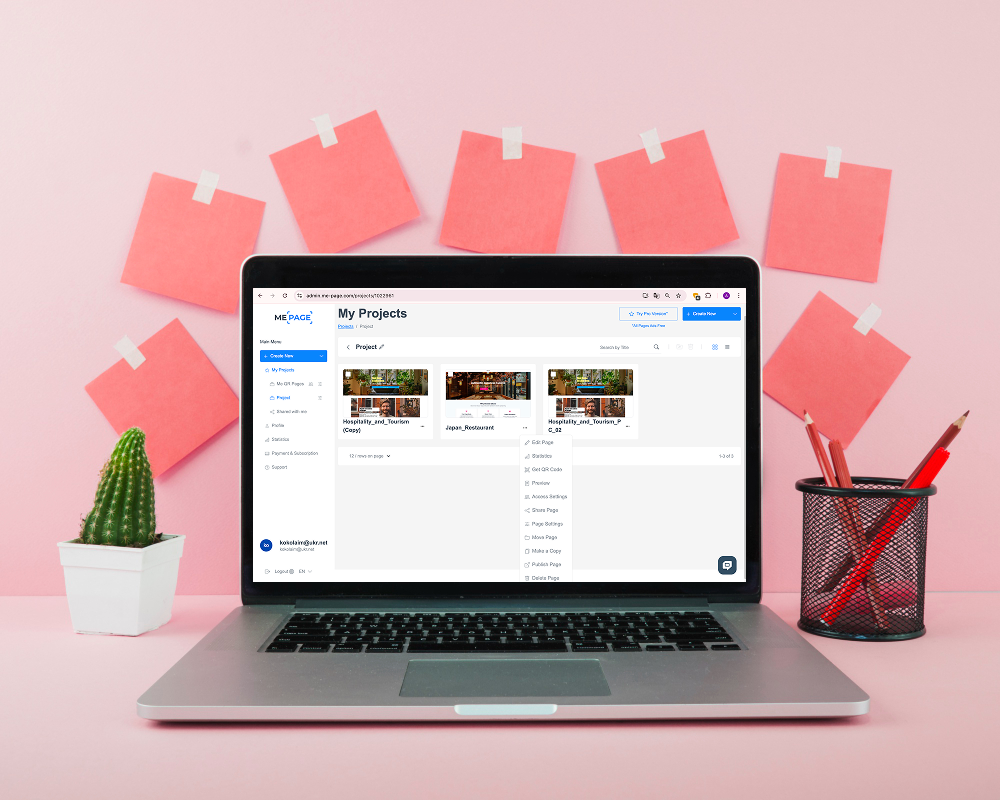
Previous
How to Duplicate and Reuse Pages in ME-Page

Next
How to Track Visitor Traffic on Your ME-Page Website Using Free Tools
Recent Articles
Everything You Need to Know About Using ME-Page Constructor for Your Website.

How to Write Website Headlines That Attract More Visitors
A headline is often the first piece of text people notice when they open a website. Before they read your para...

How Freelancers Can Organize Services, Portfolio, and Contacts on...
Freelancers often wear many hats. One day you're working on a client project, the next you're answering inquir...
How to Choose the Right Website Structure for Your Project
Before you choose colors, fonts, images, or buttons for your website, there is one decision worth making first...
Why Every Business Website Needs an FAQ Page
When people visit a business website, they rarely arrive without questions. They may want to know how a servic...
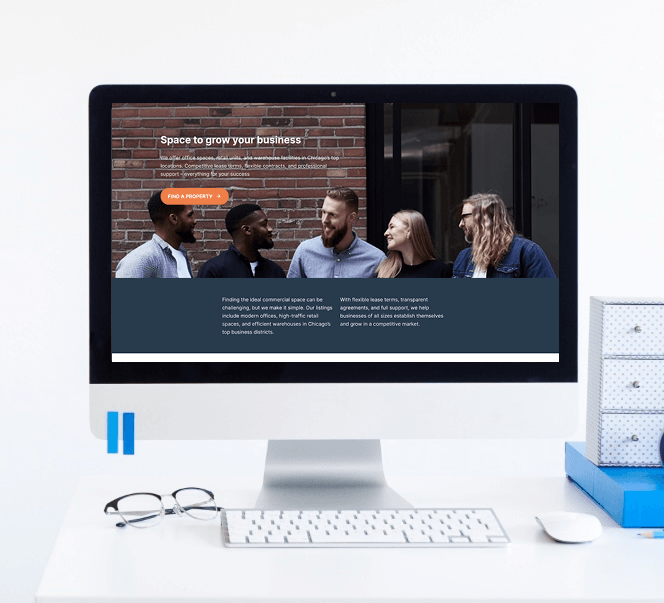
Best Homepage Sections Every Small Business Website Should Include
Your homepage is often the first place potential customers visit when they discover your business online. In j...

SEO Checklist Before Publishing Your Website
Launching a new website is exciting, but hitting the Publish button shouldn't be the final step. Before your w...
How to Write Website Headlines That Attract More Visitors
A headline is often the first piece of text people notice when they open a website. Before they read your para...
How Freelancers Can Organize Services, Portfolio, and Contacts on...
Freelancers often wear many hats. One day you're working on a client project, the next you're answering inquir...
How to Choose the Right Website Structure for Your Project
Before you choose colors, fonts, images, or buttons for your website, there is one decision worth making first...
Why Every Business Website Needs an FAQ Page
When people visit a business website, they rarely arrive without questions. They may want to know how a servic...
Best Homepage Sections Every Small Business Website Should Include
Your homepage is often the first place potential customers visit when they discover your business online. In j...
SEO Checklist Before Publishing Your Website
Launching a new website is exciting, but hitting the Publish button shouldn't be the final step. Before your w...










