Me-Page Team
Last modified 11 Aug 2026
Article Plan
- What Is Image SEO?
- Choose the Right Image Format
- Optimize Website Images Before Uploading
- Use Descriptive File Names
- Don't Ignore Alt Text SEO
- Add Images Where They Provide Value
- Make Images Mobile-Friendly
- Image SEO Checklist
- How ME-Page Supports Image Optimization
- Common Image SEO Mistakes
- Best Practices for Website Image Optimization
- Conclusion
- Frequently Asked Questions about Image SEO
Images can make a website more attractive, easier to understand, and more memorable. But adding images alone isn't enough. If your files are too large, poorly named, or missing useful descriptions, they can slow down your website and make it harder for search engines to understand your content.
That's where image SEO comes in. By optimizing images correctly, you can improve page performance, accessibility, and your overall website optimization strategy. Whether you're creating a business website, portfolio, online store, or personal page with ME-Page, a few simple image improvements can make a noticeable difference.

What Is Image SEO?
Image SEO is the process of optimizing website images so that search engines and visitors can understand and access them more easily.
It includes several areas, such as:
- Image file names
- Alt text
- File size
- Image format
- Dimensions
- Context around the image
- Mobile performance
Good optimization helps search engines understand what an image represents while making your pages faster and more accessible.
Choose the Right Image Format
Different images work better with different file formats.
For example:
- JPEG: Useful for photographs and detailed images.
- PNG: Suitable for graphics that require transparency.
- WebP: A modern format that can provide good quality with smaller file sizes.
- SVG: Useful for simple logos and scalable graphics.
Choosing an appropriate format can reduce unnecessary file weight and support faster loading.

Optimize Website Images Before Uploading
Large image files can slow down your website, especially on mobile devices.
Before uploading an image, consider:
- Reducing unnecessary dimensions
- Compressing the file
- Removing unused metadata
- Choosing an efficient format
- Avoiding extremely high-resolution images when they aren't needed
For example, a full-size photograph from a professional camera may be much larger than necessary for a website. Resizing it before uploading can significantly reduce the amount of data visitors need to load.
Use Descriptive File Names
Search engines can learn something about an image from its filename.
Instead of: IMG_4837.jpg
use something descriptive, such as: modern-office-interior.jpg
A useful filename gives search engines additional context and makes your media library easier to manage.
Keep filenames concise and relevant to the actual image.
Don't Ignore Alt Text SEO
Alt text describes an image for visitors who cannot see it and helps search engines understand its content. This makes alt text SEO an important part of image optimization.
For example, instead of:
- image of laptop
you could write:
- person working on a laptop at a modern office desk
The description should accurately represent what's visible in the image.
Avoid stuffing keywords into alt text. Its primary purpose is to describe the image naturally.


Add Images Where They Provide Value
Not every page needs dozens of images.
Use visuals when they:
- Explain a concept
- Demonstrate a product
- Support a story
- Show a process
- Make information easier to understand
For example, a restaurant website can use food photography to showcase dishes, while a design portfolio can use project screenshots to demonstrate expertise.
Relevant images make content more useful rather than simply decorative.
Connect Images to Surrounding Content
Search engines don't evaluate images in isolation. The text around an image can provide additional context.
For example, if you're showing a screenshot of a website template, place it near text explaining the template's features.
This creates a stronger connection between the visual and the topic of the page.
Use the Right Image Dimensions
Uploading an image that is much larger than the space where it appears can waste resources.
For example, if an image is displayed at 800 pixels wide, uploading a 5,000-pixel version may provide little visual benefit while increasing its file size.
Resize images appropriately before publishing whenever possible.


Make Images Mobile-Friendly
A good image should look clear across different screen sizes without disrupting the layout.
Check that:
- Images resize correctly.
- Text inside images remains readable.
- Images don't extend beyond the screen.
- Important visual details aren't accidentally cropped.
Mobile-friendly visuals are an important part of overall website optimization.
Image SEO Checklist
How ME-Page Supports Image Optimization
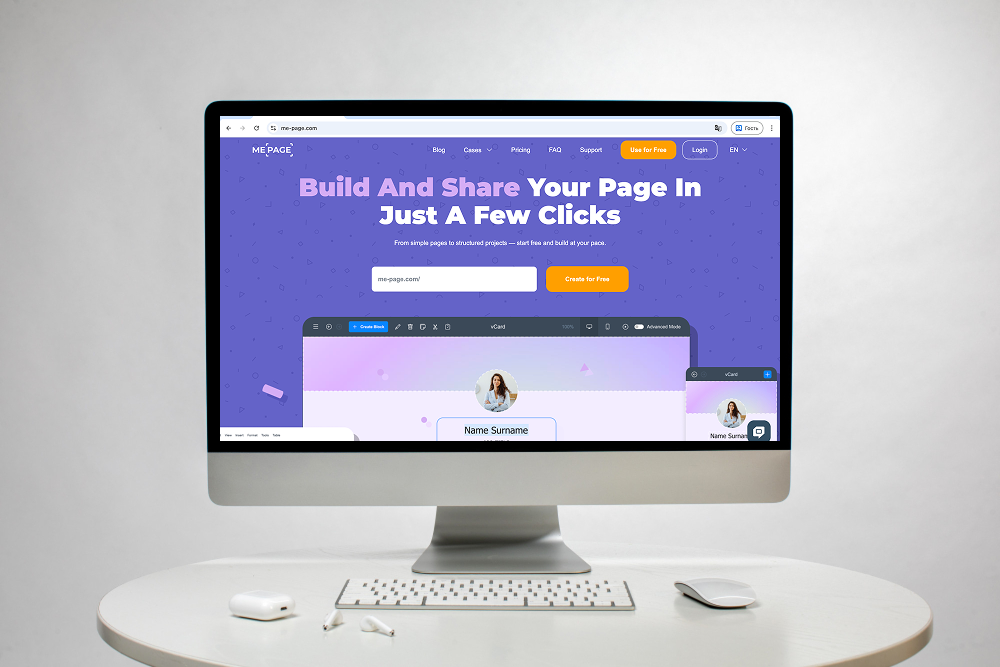
ME-Page makes it easy to add visual content to your website while building responsive pages for different devices.
When creating pages, you can use images to:
- Showcase products
- Present portfolio projects
- Introduce team members
- Support blog content
- Strengthen your brand identity
Combining relevant visuals with optimized files and descriptive information helps create a website that looks professional without sacrificing usability.
Common Image SEO Mistakes
Avoid these frequent problems:
- Uploading unnecessarily large images
- Using generic filenames
- Leaving useful images without alt text
- Adding irrelevant keywords to descriptions
- Using too many decorative images
- Ignoring mobile layouts
- Using blurry or stretched visuals
- Putting essential text only inside images
Fixing these issues can improve both user experience and technical website performance.


Best Practices for Website Image Optimization
Keep these tips in mind:
- Compress images before uploading.
- Use descriptive filenames.
- Write natural, useful alt text.
- Choose appropriate image formats.
- Resize oversized images.
- Use visuals that support your content.
- Test images on mobile devices.
- Avoid unnecessary decorative graphics.
- Keep important information in regular text.
- Review older pages and optimize existing images.
Image optimization is not a one-time task. As your website grows, regularly reviewing your visual content can help maintain good performance.
Conclusion
Effective image SEO is about more than helping pictures appear in search results. Properly optimized visuals can improve page speed, accessibility, usability, and the overall quality of your website. By learning how to optimize website images, write useful alt text SEO, and choose appropriate file sizes and formats, you can create a stronger website optimization strategy.
With ME-Page, you can combine professional layouts with relevant visual content to create pages that look engaging and remain easy to use across devices. Take the time to optimize your images, and your website will be better prepared for both visitors and search engines.
Frequently Asked Questions about Image SEO
Yes. Descriptive filenames, useful alt text, relevant surrounding content, and properly optimized images can help search engines better understand your visuals and potentially display them for relevant searches.
Was This Article Helpful?
Click on a star to rate it!
Average Rating: 5/5
Voutes: 5
Share with Friends:




Recent Articles
Everything You Need to Know About Using ME-Page Constructor for Your Website.

Build a Personal Website That Stands Out in 2026
Your social media profiles can show what you do, but they do not give you complete control over your online pr...

Managing Multiple Websites from One ME-Page Account
Running more than one website used to be complicated. Different logins, scattered tools, and endless switching...

How to Organize Content Across Multiple Website Pages
A multi-page website gives you room to explain your business, services, products, and ideas without putting ev...

Essential Pages Every Business Website Should Include
A business website doesn't need dozens of pages to look professional. What it does need is a clear structure t...

How to Write Website Headlines That Attract More Visitors
A headline is often the first piece of text people notice when they open a website. Before they read your para...

How Freelancers Can Organize Services, Portfolio, and Contacts on...
Freelancers often wear many hats. One day you're working on a client project, the next you're answering inquir...
Build a Personal Website That Stands Out in 2026
Your social media profiles can show what you do, but they do not give you complete control over your online pr...
Managing Multiple Websites from One ME-Page Account
Running more than one website used to be complicated. Different logins, scattered tools, and endless switching...
How to Organize Content Across Multiple Website Pages
A multi-page website gives you room to explain your business, services, products, and ideas without putting ev...
Essential Pages Every Business Website Should Include
A business website doesn't need dozens of pages to look professional. What it does need is a clear structure t...
How to Write Website Headlines That Attract More Visitors
A headline is often the first piece of text people notice when they open a website. Before they read your para...
How Freelancers Can Organize Services, Portfolio, and Contacts on...
Freelancers often wear many hats. One day you're working on a client project, the next you're answering inquir...










