Me-Page Team
Last modified 19 Nov 2026
Article Plan
- Why Do Photographers Need a Professional Website?
- Choose the Right Structure for Your Photography Portfolio Website
- How to Present Your Photography Work Effectively
- How ME-Page Helps Photographers Build a Professional Website
- Common Mistakes Photographers Should Avoid
- Final Thoughts
-
Frequently Asked Questions
- Should photographers display their full-resolution images online?
- How often should photographers update their portfolios?
- Do photographers need a blog on their website?
- Can a photographer use one website for different photography specialties?
- What should photographers ask clients before confirming a booking?
Your photographs tell stories, capture emotions, and show how you see the world. But when potential clients want to learn more about your work, they need somewhere to explore your portfolio, understand your services, and contact you.
That's why having a professional photographer website matters. Social media is useful for sharing new images, but a website gives you more control over how your work is presented. You can organize projects, introduce your photography style, explain your services, and make it easy for clients to reach you.
The good news? You don't need advanced technical skills or a complicated development process to get started. With a photography website builder like ME-Page, you can create a professional online portfolio without writing code.
Let's look at how to build a photography website that attracts attention and helps turn visitors into potential clients.

Why Do Photographers Need a Professional Website?
Your website works like a digital studio. It's a place where potential clients can explore your best work and understand what makes your photography different.
While social platforms can help people discover your images, a dedicated website offers several advantages:
- Full control over your portfolio: Choose which photographs to display and how to organize them.
- A professional first impression: Give potential clients one central place to learn about your work.
- Clear service information: Explain your photography packages, specialties, and working process.
- More opportunities to get inquiries: Add contact details and action buttons that make reaching you easier.
- A stronger personal brand: Use your own visual style, content, and website structure to stand out.
A website is especially valuable when someone is considering booking a wedding photographer, hiring a product photographer, or arranging a professional portrait session. They want to see consistent work and understand what to expect before making a decision.
Choose the Right Structure for Your Photography Portfolio Website
Before selecting colors or uploading photographs, decide what information your website should contain. A clear structure helps visitors find what they need without browsing through unrelated content.
Here are the essential pages and sections to consider:

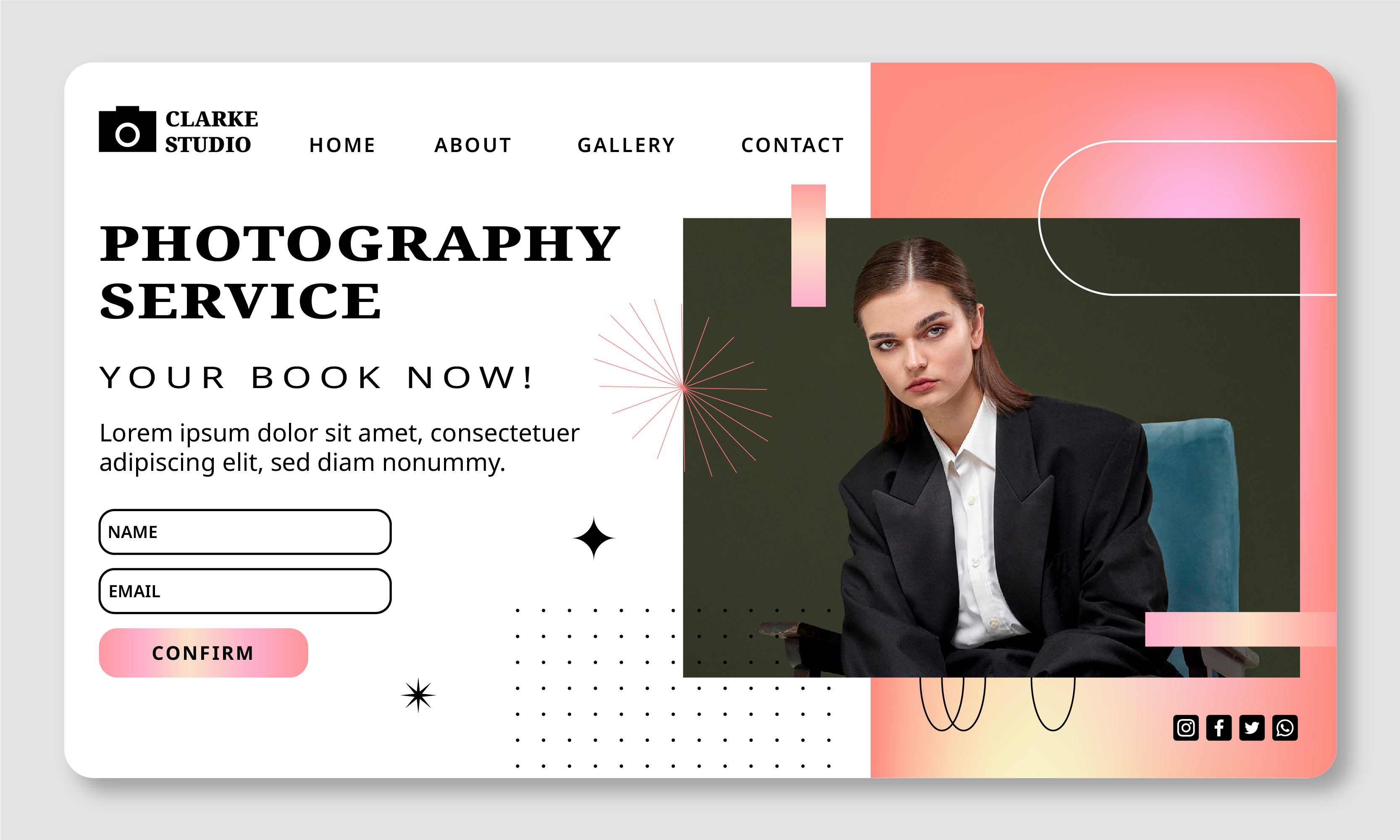
1. Homepage
Your homepage should immediately communicate who you are and what kind of photography you offer.
Start with a strong photograph that represents your style. Add your name or studio name, a short introduction, and a clear button leading to your portfolio or contact page.
Avoid filling the homepage with every photograph you've ever taken. Choose a few images that make visitors want to explore more.
2. Portfolio or Gallery
Your photography portfolio is the heart of your website. It's where potential clients evaluate your skills, style, and experience.
Organize photographs into categories based on your specialties, such as:
- Weddings and engagements
- Portraits and family photography
- Events and celebrations
- Fashion and editorial photography
- Product and commercial photography
- Travel and landscape photography
A separate gallery for each category makes your work easier to explore. It also helps visitors quickly find examples relevant to their needs.
3. About Page
People often want to know who will be behind the camera. Use your About page to introduce yourself, explain your approach, and share a little about your experience.
You don't need a long biography. A friendly introduction, a photograph of yourself, and a few details about your creative process can help build a connection with potential clients.
4. Contact Page
Your contact page should make the next step simple. Include your email address, preferred communication channels, and a contact form or action button if available.
You can also mention the information you'd like clients to provide, such as the type of session, preferred date, location, and approximate budget.
5. Services and Pricing
Make it clear what clients can book. Describe your photography services, what each package includes, and whether additional options are available.
You can present information in a simple table:
|
Photography Service |
What to Include |
|
Wedding Photography |
Coverage duration, edited photos, delivery format |
|
Portrait Sessions |
Session length, number of images, location options |
|
Family Photography |
Group size, session details, image delivery |
|
Product Photography |
Number of products, editing, commercial usage terms |
|
Event Photography |
Event coverage, estimated photo quantity, delivery timeline |
If your prices depend on project requirements, explain that clients can request a custom quote.
How to Present Your Photography Work Effectively
A strong portfolio isn't just a collection of beautiful images. It's a carefully selected presentation that shows what you can offer.

Select Quality Over Quantity
You may have hundreds of photographs you're proud of, but your website doesn't need to display all of them. Choose images that represent your strongest work and demonstrate consistency.
A smaller, carefully selected gallery can make a better impression than a large collection with repeated compositions or varying quality.
Tell a Story Through Your Galleries
Whenever possible, organize photographs into complete projects or visual stories. For example, a wedding gallery could show preparations, the ceremony, portraits, and the celebration.
This helps potential clients understand how you approach an entire assignment rather than judging your skills from individual images.
Use High-Quality Images Without Slowing Down Your Website
Large image files can make pages load slowly, especially on mobile devices. Before uploading photographs, optimize them for web use.
Consider these practices:
- Resize images to dimensions suitable for their display area.
- Use modern image formats where supported.
- Avoid uploading unnecessarily large files.
- Give image files descriptive names.
- Add meaningful alternative text to describe important images.
Good image presentation should balance visual quality with website performance.


How ME-Page Helps Photographers Build a Professional Website
ME-Page offers a no-code way to create a photographer portfolio without starting with technical development. Its drag-and-drop editor lets you arrange content blocks, add images, and organize your website according to your creative style.
Here are some features that can help:
- Drag-and-Drop Builder: Arrange photographs, text, and other content elements without coding.
- Multi Page Builder: Create separate pages and subpages for different photography categories, services, or projects.
- Custom Action Buttons: Add clear calls to action that guide visitors toward your portfolio, contact information, or other destinations.
- Mobile Website Builder: Edit your website from a smartphone or tablet and manage content while you're away from your computer.
- Custom Domain: Give your photography website a branded web address that is easier to share with clients.
- Advanced Mode: Use additional CSS customization options to fine-tune visual details when you want more control over your design.
These tools make it possible to create anything from a simple photography portfolio website to a larger site with multiple galleries and service pages.
Common Mistakes Photographers Should Avoid
Even a beautiful portfolio can lose potential clients if the website is difficult to use or lacks important information.
Watch out for these mistakes:
- Showing too many photographs: Large galleries can overwhelm visitors. Focus on your strongest and most relevant work.
- Forgetting service details: Clients need to understand what you offer before contacting you.
- Using unclear navigation: Make important pages easy to find.
- Ignoring mobile visitors: Check image sizes, menus, and buttons on smaller screens.
- Hiding contact information: Don't make potential clients search for a way to reach you.
- Leaving outdated content online: Update your portfolio, services, and contact details as your business develops.
A regular website review can help you maintain a professional presentation and avoid missed opportunities.

Final Thoughts
A professional photographer website gives your work a dedicated space and helps potential clients understand what you offer. It combines your portfolio, personal introduction, service information, and contact details in one convenient place.
Start with a clear structure, select your strongest photographs, and make every page easy to navigate. Then use ME-Page to arrange your content, customize your design, and create a website that reflects your photography style.
Your images deserve more than a social media feed. Give them a professional home where visitors can explore your work and take the next step toward booking you.
Frequently Asked Questions
Usually, no. Web-sized images are generally sufficient to showcase your work. Keeping original high-resolution files private can also help reduce unauthorized reuse. Consider using suitable image protection measures if this is a concern.
Was This Article Helpful?
Click on a star to rate it!
Average Rating: 5/5
Voutes: 1
Share with Friends:



Previous
How to Use CSS to Fine-Tune ME-Page Website Elements

Next
Welcome to ME-Page: Your Ultimate Website Constructor
Recent Articles
Everything You Need to Know About Using ME-Page Constructor for Your Website.

How Photographers Can Build a Client-Ready Website with ME-Page
Your photographs tell stories, capture emotions, and show how you see the world. But when potential clients wa...
How to Use CSS to Fine-Tune ME-Page Website Elements
A website builder makes it easy to create pages without writing code, but sometimes the standard design option...

How to Use Search Intent to Plan Pages for Your Website
Choosing keywords is an important part of SEO, but knowing what people expect to find when they search is just...

How to Design an Effective Testimonials Section for Your Website
When people visit your website for the first time, they don't always know what to expect. They may like your s...

How to Add Social Media Links to Your ME-Page Website
Your website gives visitors a place to learn about you, explore your work, and discover what you offer. But yo...

How to Write SEO-Friendly Page Titles and Meta Descriptions
When people search for something on Google, they usually see a list of results with a clickable title and a sh...
How Photographers Can Build a Client-Ready Website with ME-Page
Your photographs tell stories, capture emotions, and show how you see the world. But when potential clients wa...
How to Use CSS to Fine-Tune ME-Page Website Elements
A website builder makes it easy to create pages without writing code, but sometimes the standard design option...
How to Use Search Intent to Plan Pages for Your Website
Choosing keywords is an important part of SEO, but knowing what people expect to find when they search is just...
How to Design an Effective Testimonials Section for Your Website
When people visit your website for the first time, they don't always know what to expect. They may like your s...
How to Add Social Media Links to Your ME-Page Website
Your website gives visitors a place to learn about you, explore your work, and discover what you offer. But yo...
How to Write SEO-Friendly Page Titles and Meta Descriptions
When people search for something on Google, they usually see a list of results with a clickable title and a sh...


