Me-Page Team
Last modified 28 Aug 2025
In today’s digital-first world, a paper CV or static PDF isn’t enough to impress potential employers or clients. Recruiters and businesses want to see more—they want to understand your personality, skills, and achievements at a glance. That’s why building a personal website or portfolio is a game-changer.
Instead of being just another name on a list, your site becomes your stage. It tells your story, shows your work, and gives people an easy way to contact you. With tools like ME-Page, creating a site is no longer reserved for tech experts—you can launch a professional site in minutes.

The Role of an Online CV Template
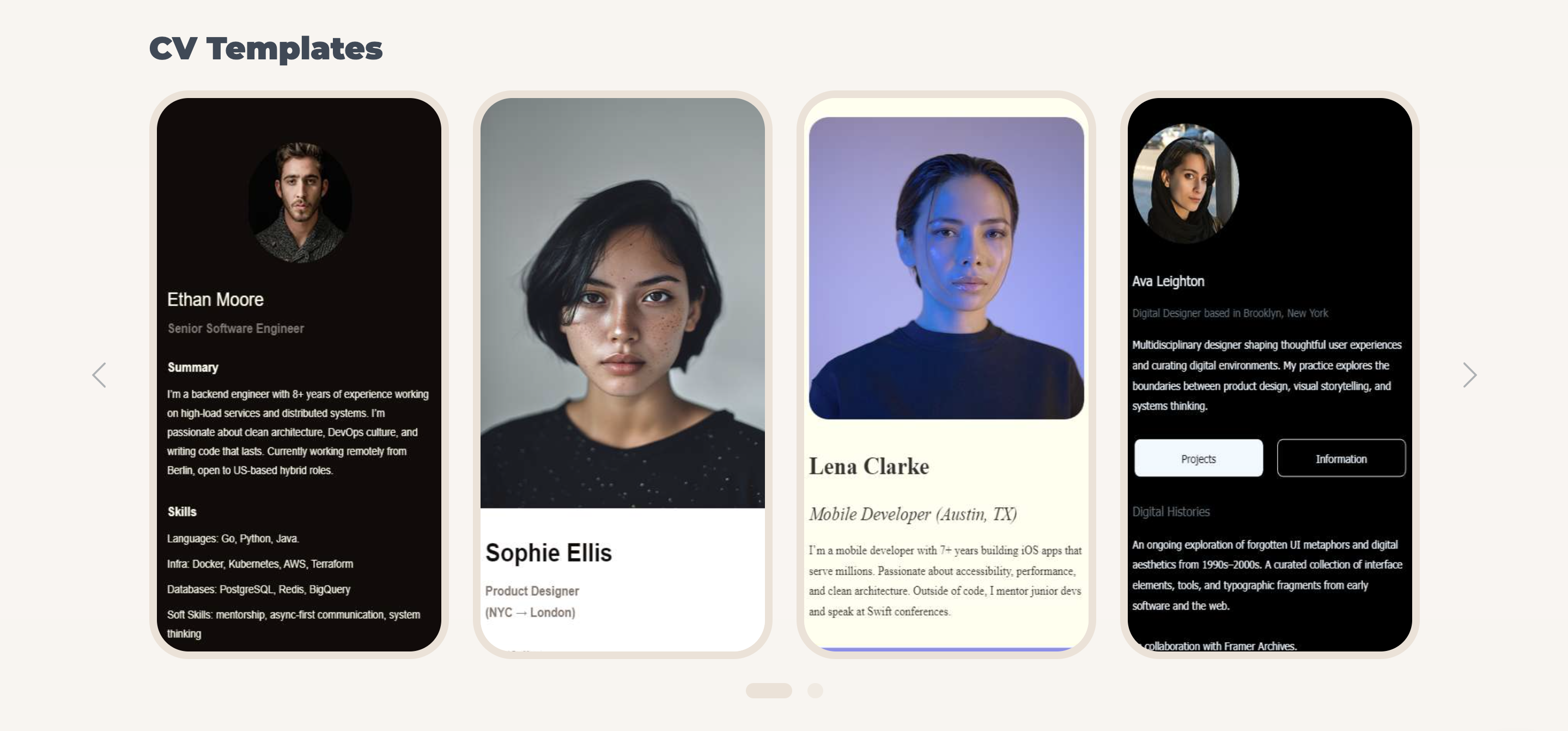
Not sure where to start? That’s where an online CV template comes in. Templates provide structure: sections for your bio, work experience, skills, education, and even links to projects.
The beauty of using ME-Page is flexibility. You can keep it simple, like a one-page digital resume, or expand it into a full showcase of your career. No need to stress about design—templates are already optimized for readability and professional presentation.
Think of it this way: a template is your canvas. You provide the colors—your achievements, projects, and personality.
Why Use a Portfolio Website Builder?
A common concern is: “Do I really need a whole website just for my CV?” The answer: absolutely. Here’s why:
- Instant accessibility – Share one link in applications, emails, or LinkedIn. No attachments, no downloads.
- Mobile-ready design – A portfolio website builder like ME-Page ensures your site looks great on phones, tablets, or desktops.
- Show, don’t just tell – Instead of listing “graphic design” as a skill, you can display actual designs. For writers, share articles. For developers, link to code projects.
- Personal branding – Employers or clients remember people who stand out. A website feels more alive and memorable than a static PDF.
In short: your site becomes proof, not just claims.

Your Roadmap to a Stunning Online CV or Portfolio
Here’s a step-by-step guide to help you craft a professional site with ME-Page:
Step 1: Pick the Right Template
Start with an online CV template that fits your industry. A clean, minimalist design works well for corporate roles, while bold visuals suit creatives like designers or photographers.
Step 2: Write a Compelling Introduction
Open with a short personal bio. Keep it friendly, professional, and to the point. Think of it as your elevator pitch.
Step 3: Highlight Work Experience and Skills
Break down your career journey clearly. Use bullet points for easy scanning. Pair skills with real examples—for instance, “Digital Marketing – boosted website traffic by 120% in 6 months.”
Step 4: Showcase Your Projects
This is where a portfolio website builder shines. Upload images, PDFs, or links to real work. A recruiter can see your expertise in action instead of reading about it.
Step 5: Add Testimonials or References
If you’ve worked with clients, even small ones, include short reviews. Social proof builds trust and credibility instantly.
Step 6: Make Contact Easy
Add a clear call-to-action—whether it’s “Hire Me,” “Download CV,” or “Let’s Work Together.” Include email, phone, or even a contact form.
FYI: You can find more detailed instructions on how to create your own page with ME-Page in our article “How to Easily and Quickly Create Your Page with ME-Page: Step-by-Step Instruction”

What Makes a Personal Website Stand Out
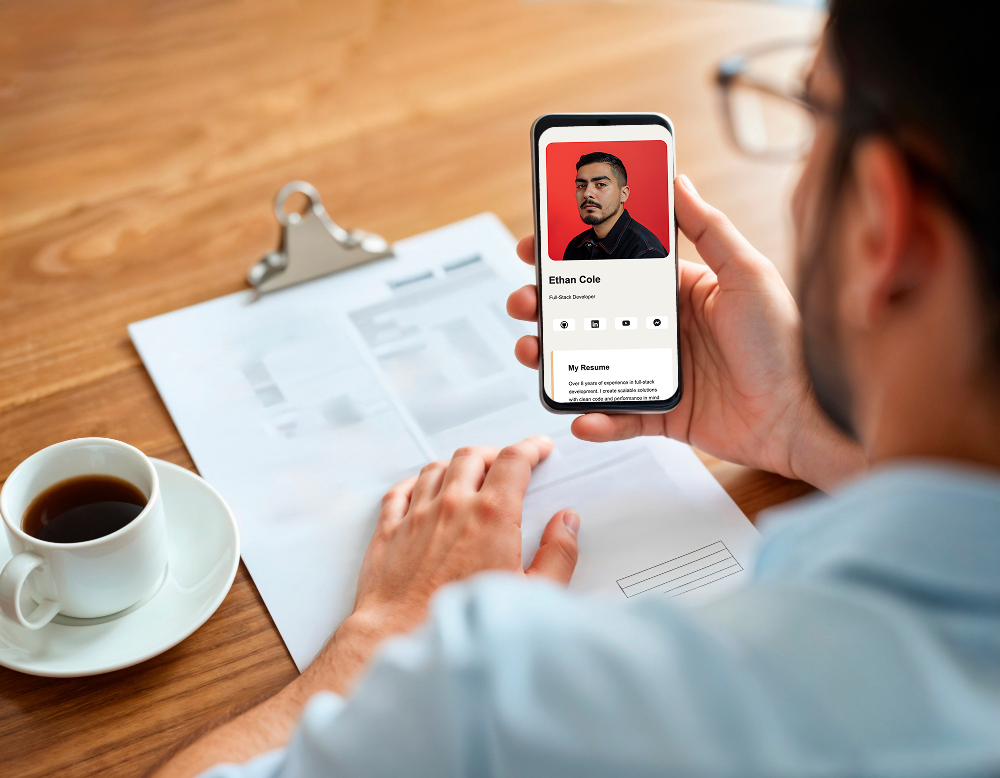
Building a personal website isn’t just about filling sections—it’s about telling a story. A great site should:
- Reflect your personality – Fonts, colors, and images should feel like “you.”
- Stay consistent – Stick to one style for headings, body text, and colors. Consistency = professionalism.
- Be responsive – Remember, many recruiters check links on their phone. Your site must look as good on mobile as it does on a laptop.
- Update regularly – A stale CV signals inattention. Add new projects or achievements as they happen.
Think of your website as a living CV—it grows and adapts as your career evolves.
The Real-World Impact of an Online CV
So what difference does all this make?
- A designer can win more clients by sharing a sleek portfolio link rather than attaching heavy files.
- A developer can showcase live code demos instead of just mentioning GitHub.
- A student can stand out in job applications by linking to a creative, well-structured CV site.
The bottom line: whether you’re job hunting, freelancing, or building a personal brand, your website sets you apart from the competition.

Final Thoughts: Your Turn to Shine
Every freelancer has unique talents to offer. The question is: are you showing them in the best possible way? A ME-Page site gives you more than a portfolio—it gives you a stage to highlight your expertise and attract the right clients.
Think of it as your digital storefront. Without it, you’re relying on chance encounters. With it, you’re open for business 24/7. Potential clients can see your work, read reviews, and contact you instantly—all before you’ve even spoken to them.
Success doesn’t just happen. It’s built on consistent effort and the right tools. A freelancer website powered by ME-Page can be that tool—the bridge between your skills and the opportunities waiting for you.
So if you’re ready to grow your client base, stop hiding your talent in scattered files and forgotten links. Build your site, share it proudly, and let your success story unfold.
Was This Article Helpful?
Click on a star to rate it!
Average Rating: 5/5
Voutes: 1
Share with Friends:



Previous
Freelancer Success Story: Landing More Clients with ME-Page

Next
ME-Page Integration With ME-QR: Create Websites And Generate QR Codes In Seconds
Recent Articles
Everything You Need to Know About Using ME-Page Constructor for Your Website.
How to Choose Between a Template and a Blank Page in ME-Page
Starting a website project comes with an important decision: should you use a ready-made template or build you...
How Photographers Can Build a Client-Ready Website with ME-Page
Your photographs tell stories, capture emotions, and show how you see the world. But when potential clients wa...
How to Use CSS to Fine-Tune ME-Page Website Elements
A website builder makes it easy to create pages without writing code, but sometimes the standard design option...

How to Use Search Intent to Plan Pages for Your Website
Choosing keywords is an important part of SEO, but knowing what people expect to find when they search is just...

How to Design an Effective Testimonials Section for Your Website
When people visit your website for the first time, they don't always know what to expect. They may like your s...

How to Add Social Media Links to Your ME-Page Website
Your website gives visitors a place to learn about you, explore your work, and discover what you offer. But yo...
How to Choose Between a Template and a Blank Page in ME-Page
Starting a website project comes with an important decision: should you use a ready-made template or build you...
How Photographers Can Build a Client-Ready Website with ME-Page
Your photographs tell stories, capture emotions, and show how you see the world. But when potential clients wa...
How to Use CSS to Fine-Tune ME-Page Website Elements
A website builder makes it easy to create pages without writing code, but sometimes the standard design option...
How to Use Search Intent to Plan Pages for Your Website
Choosing keywords is an important part of SEO, but knowing what people expect to find when they search is just...
How to Design an Effective Testimonials Section for Your Website
When people visit your website for the first time, they don't always know what to expect. They may like your s...
How to Add Social Media Links to Your ME-Page Website
Your website gives visitors a place to learn about you, explore your work, and discover what you offer. But yo...


