Me-Page Team
Last modified 26 Nov 2026
Article Plan
- Why Does Your Website Need a Contact Form?
- What Should a Website Contact Form Include?
- How to Add a Contact Form to Your ME-Page Website
- Where Should You Place a Contact Form?
- Best Practices for Creating an Effective Contact Form
- Common Contact Form Mistakes to Avoid
- Create a More Connected Website with ME-Page
- Conclusion
-
Frequently Asked Questions
- Should I use a contact form or display my email address?
- How can I reduce spam submissions through my contact form?
- Do I need a privacy policy if my website has a contact form?
- Should I send an automatic confirmation email after form submission?
- What should I do if I stop receiving contact form submissions?
A website should do more than introduce your business or display your work. It should also give visitors an easy way to get in touch. Whether someone wants to ask about your services, request a quote, or discuss a potential collaboration, a contact form can make that first interaction simple.
Instead of asking visitors to open their email application or search for your contact details, you can provide a convenient form directly on your website.
With ME-Page, you can build and customize your website without coding. In this guide, we'll explore how to approach contact form creation, what information to request, and how to make your website contact form useful for both visitors and your business.
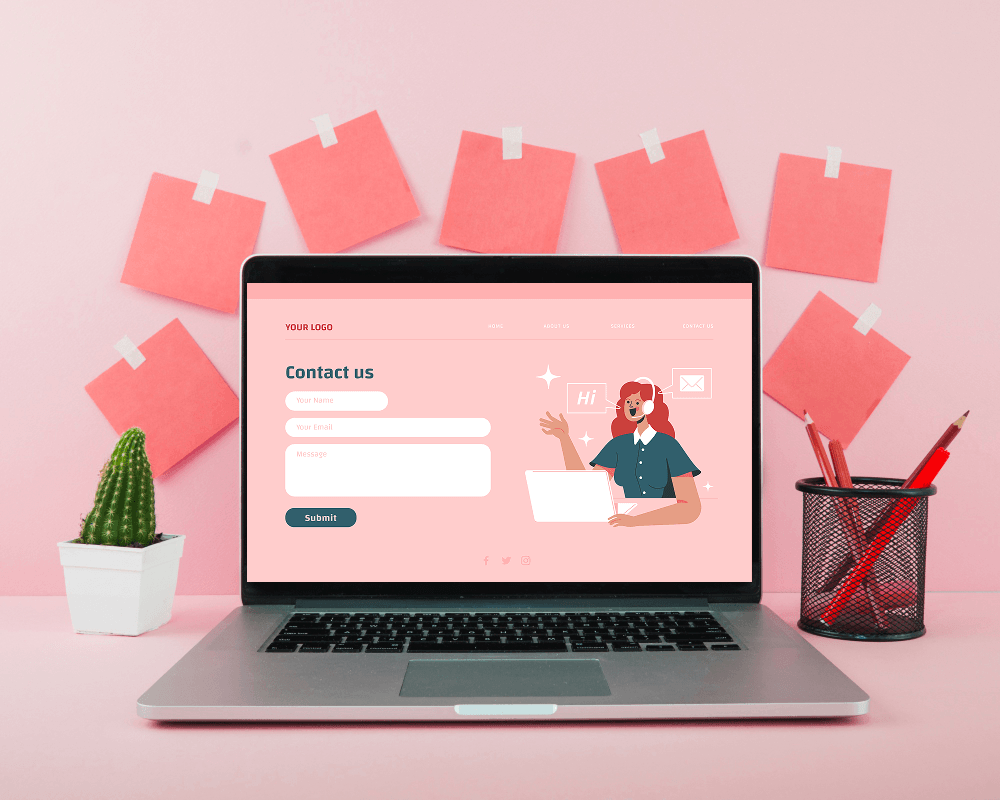
Why Does Your Website Need a Contact Form?
A contact form gives visitors a straightforward way to communicate with you. It's especially useful for businesses and professionals who receive inquiries from different types of customers.
Here are some benefits of adding a contact form to your website:
- Make communication easier: Visitors can send a message without leaving your website.
- Collect useful information: Ask customers to provide details that help you understand their requests.
- Look more professional: A dedicated contact form makes your website feel more complete.
- Encourage inquiries: Visitors who aren't ready to call may feel more comfortable submitting a short message.
- Organize incoming requests: Consistent fields make it easier to understand and categorize inquiries.
For example, a photographer might use a contact form to receive booking requests, while a consultant could collect information about potential projects before arranging a meeting.
What Should a Website Contact Form Include?
The best contact forms are simple and purposeful. Asking for too much information can discourage visitors from completing the form, so include only the fields you actually need.
Here are some common options:
You don't need every field for every website. A personal portfolio may only require a name, email address, and message, while a business receiving detailed project inquiries may need additional information.
How to Add a Contact Form to Your ME-Page Website
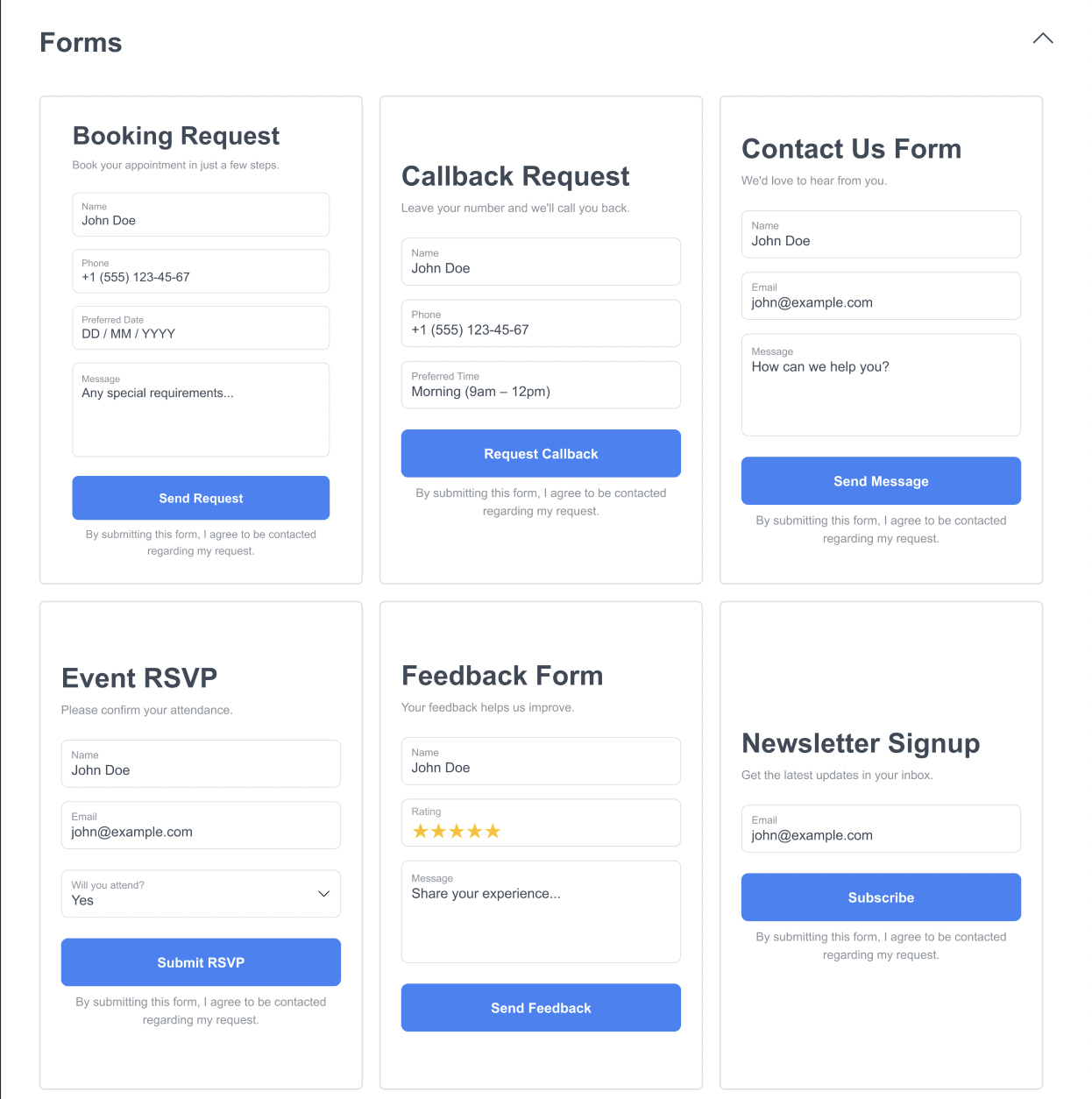
Before adding a form, decide where it will be most useful. You can create a dedicated Contact page or include a contact section on your homepage.
ME-Page provides a no-code website builder with a drag-and-drop editor, allowing you to organize your website content and customize its layout.
When working on your contact page, follow this general process:
1. Open Your Website Editor
Access your ME-Page website and open the editor. Choose the page where you want visitors to find your contact information.
If you don't already have a Contact page, consider adding one to your website structure.
2. Plan Your Contact Section
Think about what visitors need to know before contacting you. You might include a short introduction, your business email, and a brief explanation of the types of inquiries you accept.
Keep the section focused. Its purpose is to help visitors start a conversation, not overwhelm them with unrelated information.
3. Add and Configure Your Contact Form
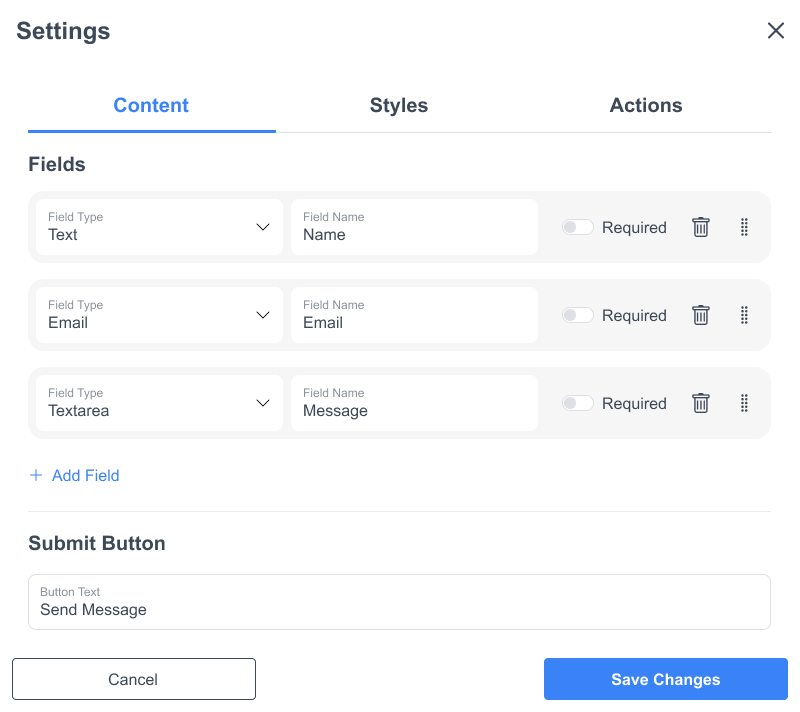
Choose an appropriate form solution or contact element available in your website setup. Organize the fields according to the information you want to collect.
For a basic contact form, start with three essential fields:
- Name
- Email address
- Message
You can add more fields if your business needs additional details, but avoid making every field mandatory.
4. Customize the Form Design
Make sure the form matches the rest of your website. Use consistent typography, colors, spacing, and button styles.
Pay attention to field labels and placeholders. Visitors should immediately understand what information belongs in each field.
5. Check the Form Before Publishing
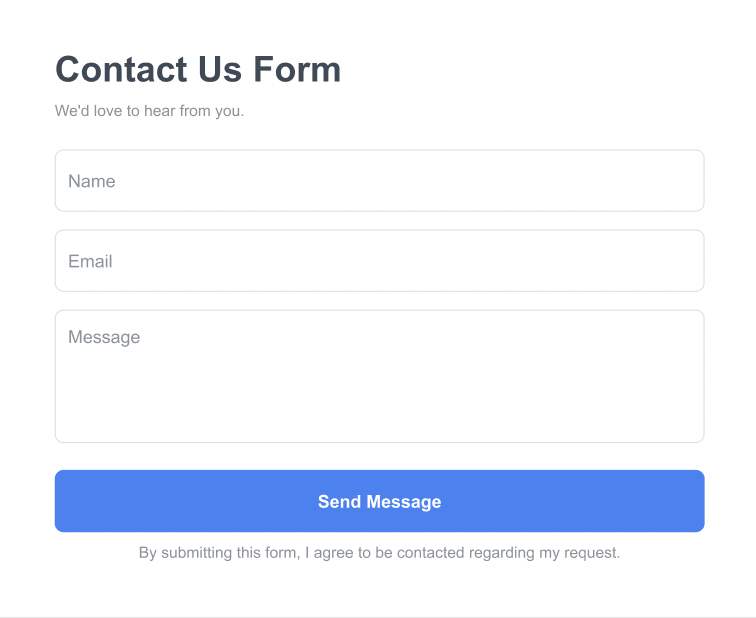
Review the form from a visitor's perspective. Make sure all fields are understandable, required information is clearly indicated, and the submission process works as expected.
If your chosen form solution includes a confirmation message, check that it appears after successful submission.
Important: The exact form setup and submission options depend on the contact form solution you use. Don't assume that adding visual form elements automatically configures message delivery. Verify the receiving destination and submission behavior before publishing.
Where Should You Place a Contact Form?
The location of your form can influence whether visitors notice and use it. Choose a position that makes sense for your website structure and audience.

Homepage
A short contact form on the homepage works well for businesses that rely on direct inquiries. It gives visitors a way to reach you without navigating to another page.
Dedicated Contact Page
A separate Contact page is a good choice when your website has several sections or you want to provide more detailed communication information.
You can include your form alongside business hours, email addresses, location details, or other contact options.
Service Pages
If visitors are reading about a specific service, placing a contact form nearby can make the next step more convenient.
For example, a web designer could include an inquiry form below the description of website design packages.
Landing Pages
A landing page may have one specific goal, such as collecting project inquiries or consultation requests. A focused form can support that goal without sending visitors to several different pages.
Best Practices for Creating an Effective Contact Form
Adding a form is only the first step. Its design and functionality should make the process comfortable for visitors.
Keep these recommendations in mind:
- Use clear field labels: Explain exactly what visitors should enter.
- Keep it short: Request only the information necessary to respond.
- Make the submit button noticeable: Use an action-oriented label such as "Send Message" or "Request Information."
- Consider mobile usability: Check that fields and buttons are easy to use on smaller screens.
- Explain what happens next: Let visitors know when they can expect a response, if you have a reliable timeframe.
- Avoid unnecessary required fields: Give visitors flexibility when certain details aren't essential.
- Use a friendly introduction: A short sentence can make the form feel more approachable.
A contact form should remove friction, not create another obstacle between visitors and your business.

Common Contact Form Mistakes to Avoid
Even a well-designed website can lose potential inquiries because of small problems with its contact form.
Watch out for these issues:
- Too many questions: Long forms may discourage visitors from submitting a message.
- Unclear error messages: Visitors should understand how to correct missing or invalid information.
- No submission confirmation: People need to know whether their message was successfully sent.
- Poor mobile layout: Small fields and buttons can make the form frustrating to use.
- Unclear privacy information: Visitors may hesitate to share personal details if they don't understand how their information will be handled.
- Untested message delivery: A form that appears to work but doesn't deliver submissions can result in missed opportunities.
Test your contact form regularly, especially after changing its layout or configuration.
Create a More Connected Website with ME-Page
A contact form is one part of a website that helps visitors move from browsing to taking action. ME-Page offers tools for building and organizing your online presence without complicated development.
Its drag-and-drop builder lets you arrange content blocks and create dedicated pages for different purposes. You can also use custom action buttons to direct visitors toward contact information, services, or other important destinations.
If your website grows, the Multi Page Builder can help you organize separate sections and subpages. This makes it easier to keep your Contact page accessible while adding more information about your business.
By combining a clear website structure with convenient contact options, you can make it easier for potential customers to start a conversation.

Conclusion
A contact form is a simple but important part of a business or personal website. It gives visitors a direct way to ask questions, request information, and express interest in your services.
Start with a few essential fields, choose a suitable location, and make the submission process easy to understand. Then test the form to ensure messages reach the right destination.
With ME-Page, you can create a professional website structure and customize its content to support better communication with your audience.
Frequently Asked Questions
Both options can work together. A contact form offers a convenient way to send structured messages, while a visible email address gives visitors another communication option. Providing both can accommodate different preferences.
Was This Article Helpful?
Click on a star to rate it!
Average Rating: 5/5
Voutes: 1
Share with Friends:



Previous
How to Choose Between a Template and a Blank Page in ME-Page

Next
Welcome to ME-Page: Your Ultimate Website Constructor
Recent Articles
Everything You Need to Know About Using ME-Page Constructor for Your Website.
How to Add a Contact Form to Your ME-Page Website
A website should do more than introduce your business or display your work. It should also give visitors an ea...
How to Choose Between a Template and a Blank Page in ME-Page
Starting a website project comes with an important decision: should you use a ready-made template or build you...

How Photographers Can Build a Client-Ready Website with ME-Page
Your photographs tell stories, capture emotions, and show how you see the world. But when potential clients wa...

How to Use CSS to Fine-Tune ME-Page Website Elements
A website builder makes it easy to create pages without writing code, but sometimes the standard design option...

How to Use Search Intent to Plan Pages for Your Website
Choosing keywords is an important part of SEO, but knowing what people expect to find when they search is just...

How to Design an Effective Testimonials Section for Your Website
When people visit your website for the first time, they don't always know what to expect. They may like your s...
How to Add a Contact Form to Your ME-Page Website
A website should do more than introduce your business or display your work. It should also give visitors an ea...
How to Choose Between a Template and a Blank Page in ME-Page
Starting a website project comes with an important decision: should you use a ready-made template or build you...
How Photographers Can Build a Client-Ready Website with ME-Page
Your photographs tell stories, capture emotions, and show how you see the world. But when potential clients wa...
How to Use CSS to Fine-Tune ME-Page Website Elements
A website builder makes it easy to create pages without writing code, but sometimes the standard design option...
How to Use Search Intent to Plan Pages for Your Website
Choosing keywords is an important part of SEO, but knowing what people expect to find when they search is just...
How to Design an Effective Testimonials Section for Your Website
When people visit your website for the first time, they don't always know what to expect. They may like your s...


