Me-Page Team
Last modified 17 Feb 2026
Website navigation can make or break the user experience. Even great content won’t perform well if visitors can’t easily find what they’re looking for. That’s why the latest ME-Page new feature introduces a powerful navigation system that helps you build multi-page websites, create custom headers, and design clean burger menus for mobile — all without coding.
With this ME-Page update 2026, you can now structure your site like a professional business website with clear sections such as About, Services, Portfolio, Contacts, Testimonials, and more. Everything is handled visually through the editor.
Let’s walk through what’s new and how it helps you create better navigation.
Why Navigation Matters More Than Ever
Modern visitors expect:
- Clear menus
- Fast access to pages
- Logical structure
- Smooth mobile experience
- Consistent headers across pages
If your site is just one long scroll or lacks structure, users may leave quickly. A multi-page website builder like ME-Page helps separate content into focused subpages, improving both usability and SEO.
Good navigation leads to:
- Higher engagement
- Lower bounce rate
- More conversions
- Better indexing in search engines
What’s New in the ME-Page Navigation Update
The latest website builder improvements add several tools that make professional navigation simple.
1. Ready-Made Navigation Elements
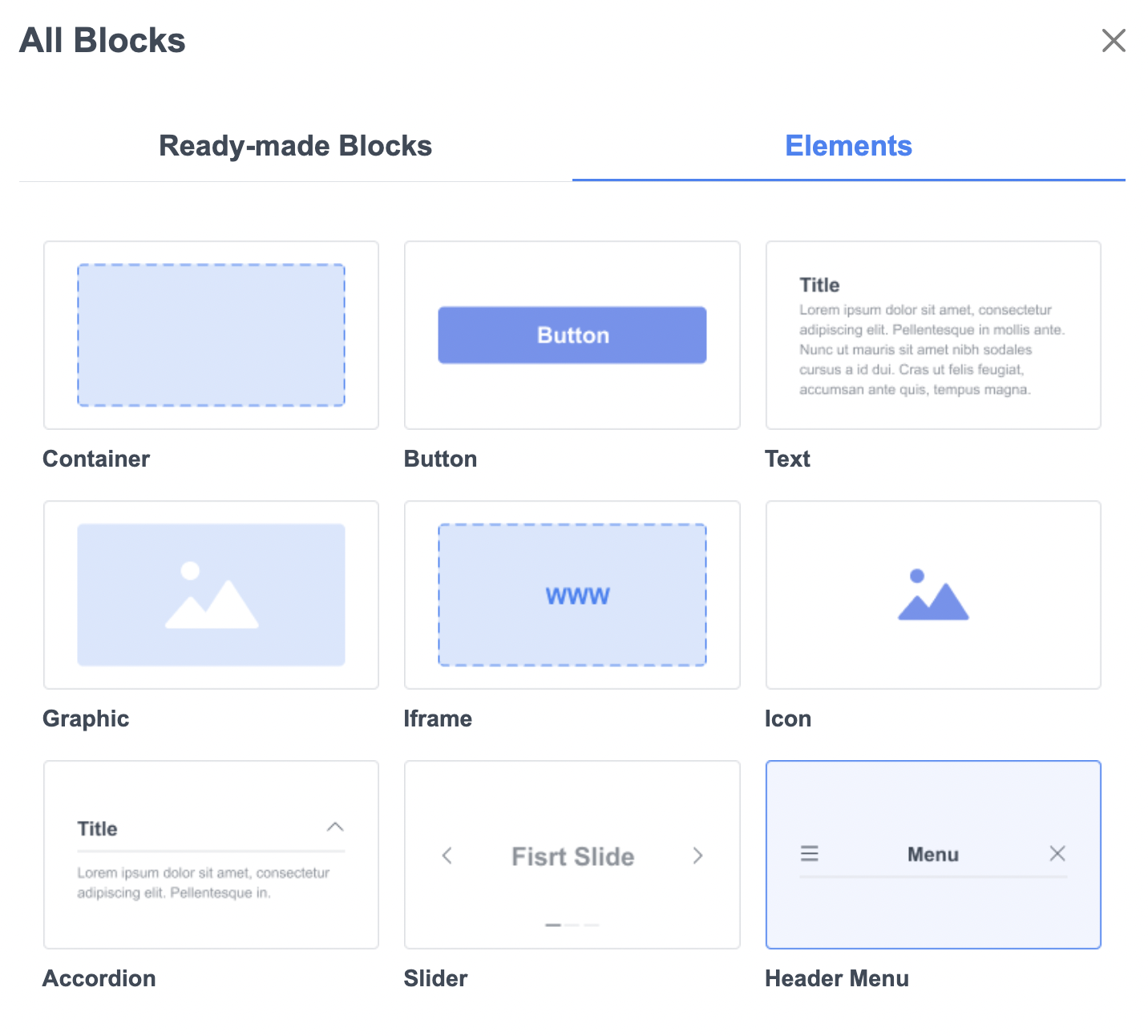
Inside the editor, you can now add:
- Container
- Button
- Text
- Graphic
- Iframe
- Icon
- Accordion
- Slider
- Header Menu (new)
The Header Menu is the key component for building structured, multi-page navigation.
2. Create Subpages in Seconds
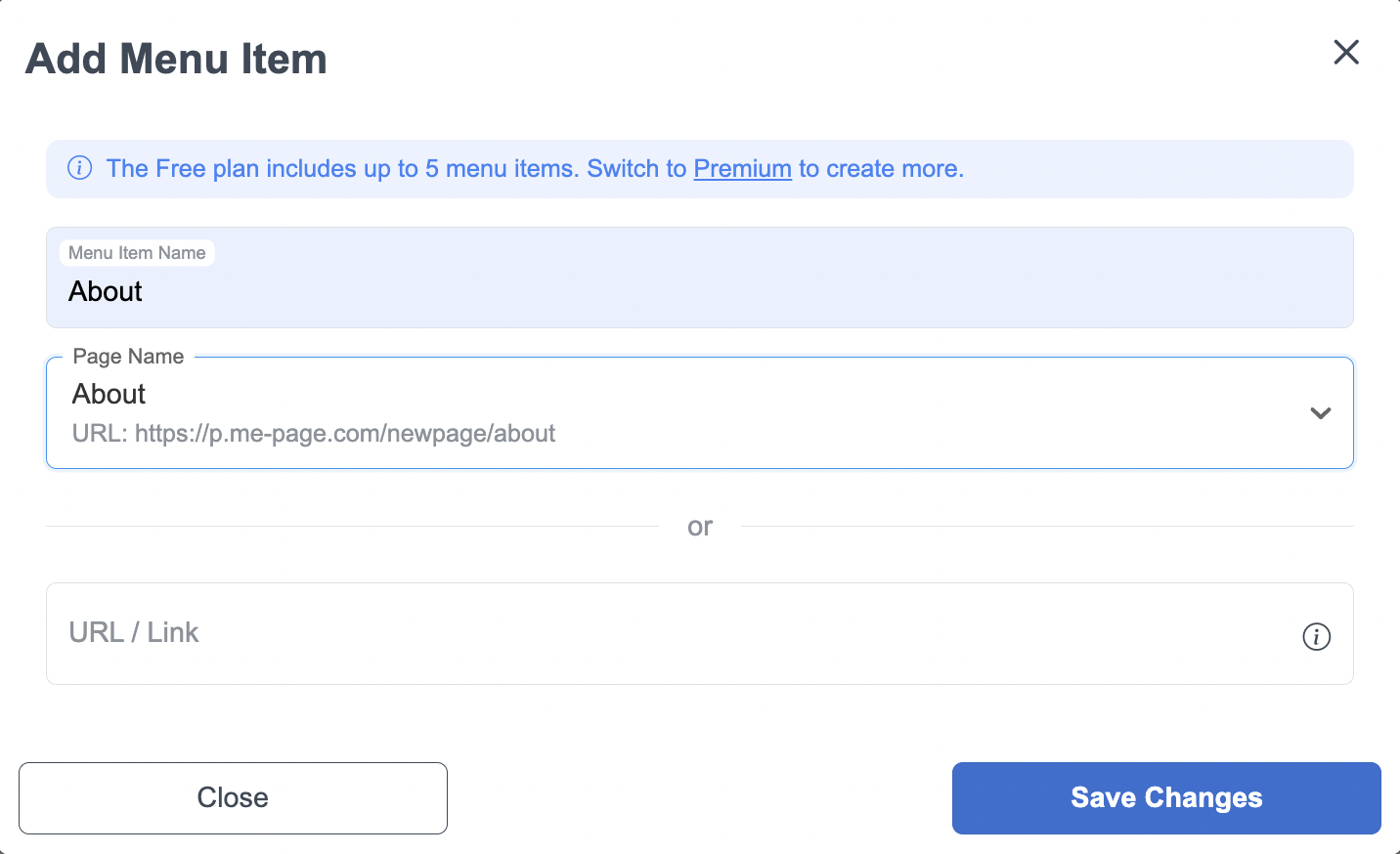
You can now easily create subpages in ME-Page directly from the menu settings.
When adding a menu item, you can:
- Set menu item name
- Choose an existing page
- Link to a URL
- Save changes instantly
This makes multi-page website creation quick and intuitive.
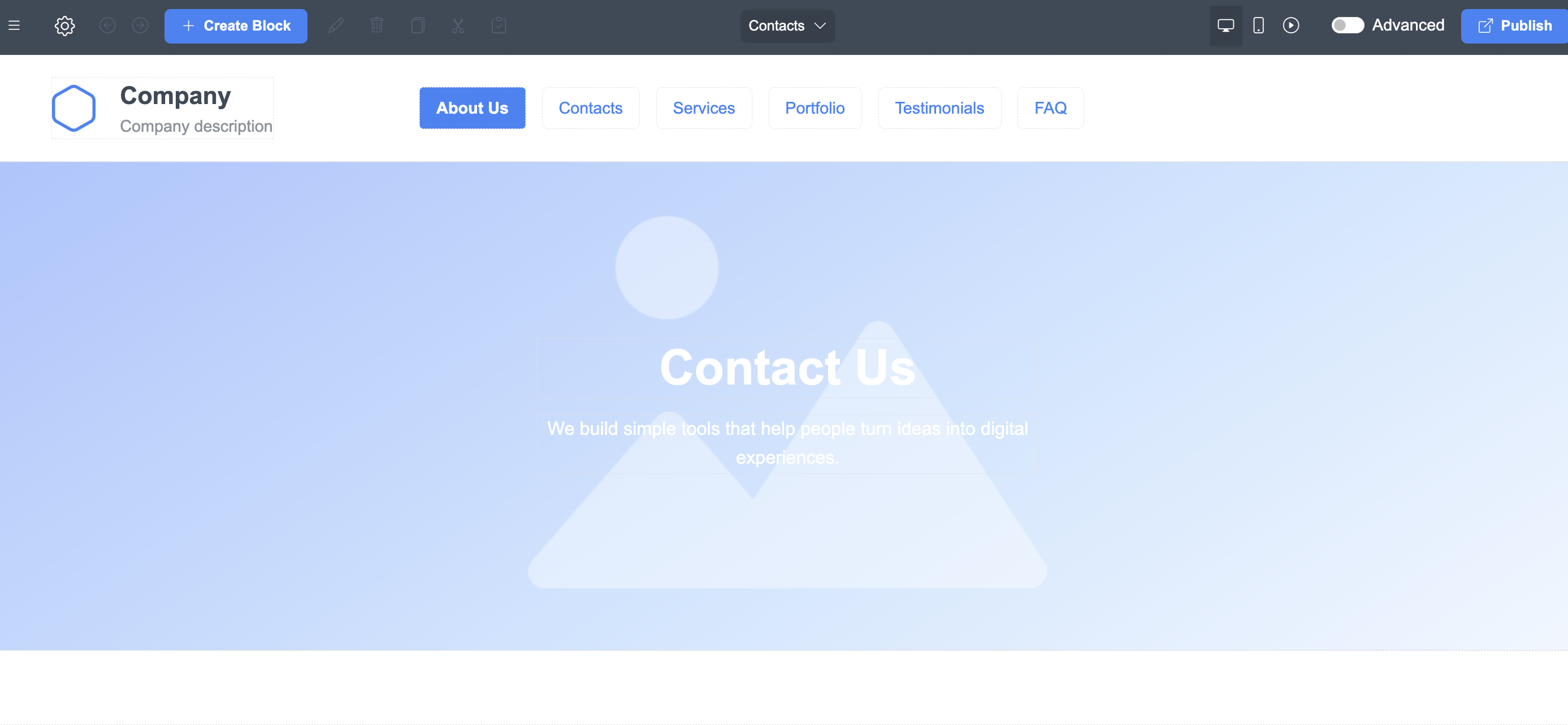
- Example structure:
- Home
- About
- Services
- Portfolio
- Testimonials
- FAQ
- Contacts
Each page can have its own blocks and content while keeping the same header.
3. Custom Header Menu
The new custom header menu allows you to:
- Add multiple menu items
- Rearrange links
- Rename pages
- Keep the header consistent across pages
- Edit everything visually
This helps maintain brand consistency and improves the subpage navigation structure.
No code or technical setup is required.
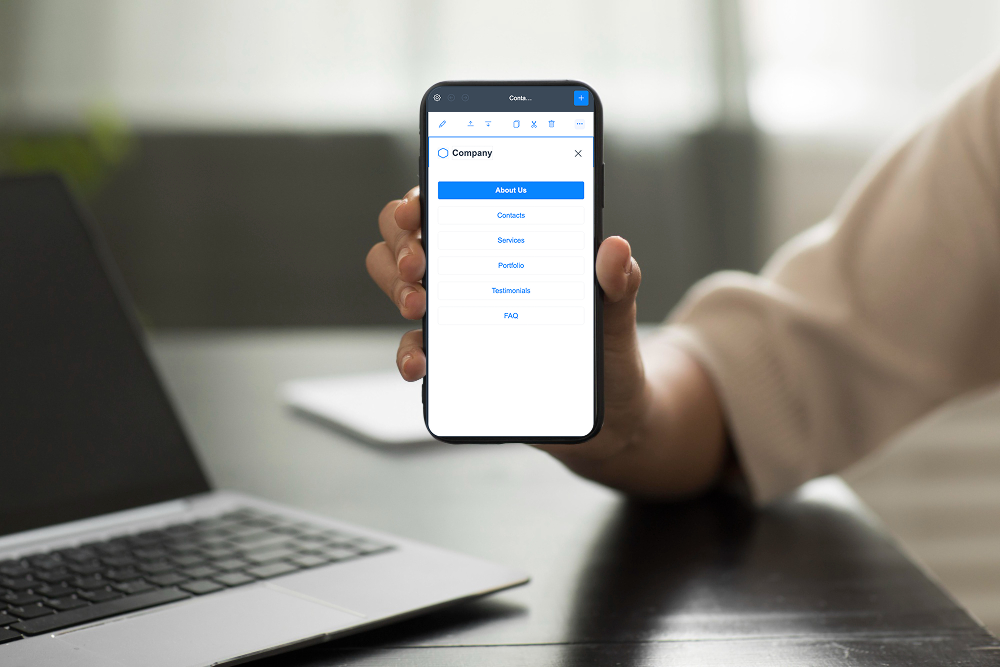
4. Mobile Burger Menu
Mobile navigation is often messy or cramped. ME-Page solves this with a built-in burger menu website feature.
On mobile:
- Menu collapses automatically
- Links are neatly stacked
- Navigation is thumb-friendly
- Layout stays clean
This ensures smooth responsive website navigation across all devices.
How to Set Up Your Navigation
Here’s a simple workflow:
Step-by-step
- Add Header Menu block
- Click “Add Menu Item”
- Select or create a page
- Name your link
- Save changes
- Preview desktop and mobile
That’s it. Your desktop and mobile menu design is ready.

Key Features Overview

Who Benefits Most?
This website navigation builder is perfect for:
- Small businesses
- Agencies
- Coaches & trainers
- Restaurants
- Portfolios
- E-commerce
- Service providers
If you need separate pages for services, pricing, or case studies, this update is essential.
Tips for Better Navigation
Follow these best practices:
Do:
- Keep menu items under 7–8 links
- Use clear page names
- Place important pages first
- Keep headers consistent
Avoid:
- Too many dropdowns
- Hidden links
- Long labels
- Overcrowded menus
Simple always converts better.
Conclusion
The latest ME-Page new feature release proves that modern websites need more than just attractive design — they need smart, flexible structure. With this powerful multi-page website builder, creating organized navigation, clear page hierarchies, and seamless user journeys is now easier than ever. Instead of squeezing everything onto one long page, you can confidently create subpages in ME-Page, group related content, and guide visitors exactly where they need to go.
The addition of a custom header menu, responsive layouts, and an automatic burger menu website experience for mobile devices ensures that your navigation looks clean and professional on every screen size. Whether someone visits from desktop or smartphone, your responsive website navigation adapts instantly, improving usability and keeping visitors engaged. And because everything works inside a no-code website navigation system, you can design, edit, and publish menus without technical skills or extra tools.
Better navigation also means better results. A well-structured subpage navigation structure supports SEO, improves website indexing, reduces bounce rates, and helps users discover more of your content. This leads to longer sessions, stronger trust, and higher conversions — all critical for businesses, freelancers, and creators building their online presence.
In short, the ME-Page update 2026 transforms website building from simple pages into complete, scalable experiences. With easier multi-page website creation, smarter headers, and intuitive menus, you have everything you need to build professional websites that grow with your business and deliver a smooth, modern experience for every visitor.
Frequently Asked Questions about Multi-Page Websites with Custom Headers & Mobile Burger Menu
Was This Article Helpful?
Click on a star to rate it!
Average Rating: 4.7/5
Voutes: 3
Share with Friends:


Previous
SEO in 2026: What Website Owners Need to Know
Next
Website Builder vs Custom Development: Why ME-Page Wins
Recent Articles
Everything You Need to Know About Using ME-Page Constructor for Your Website.

How to Link Pages Together for Better Website Navigation
A multi-page website gives you more room to organize information, but adding pages is only half the job. Visit...

Build a Personal Website That Stands Out in 2026
Your social media profiles can show what you do, but they do not give you complete control over your online pr...

Managing Multiple Websites from One ME-Page Account
Running more than one website used to be complicated. Different logins, scattered tools, and endless switching...
How to Organize Content Across Multiple Website Pages
A multi-page website gives you room to explain your business, services, products, and ideas without putting ev...

Essential Pages Every Business Website Should Include
A business website doesn't need dozens of pages to look professional. What it does need is a clear structure t...

How to Write Website Headlines That Attract More Visitors
A headline is often the first piece of text people notice when they open a website. Before they read your para...
How to Link Pages Together for Better Website Navigation
A multi-page website gives you more room to organize information, but adding pages is only half the job. Visit...
Build a Personal Website That Stands Out in 2026
Your social media profiles can show what you do, but they do not give you complete control over your online pr...
Managing Multiple Websites from One ME-Page Account
Running more than one website used to be complicated. Different logins, scattered tools, and endless switching...
How to Organize Content Across Multiple Website Pages
A multi-page website gives you room to explain your business, services, products, and ideas without putting ev...
Essential Pages Every Business Website Should Include
A business website doesn't need dozens of pages to look professional. What it does need is a clear structure t...
How to Write Website Headlines That Attract More Visitors
A headline is often the first piece of text people notice when they open a website. Before they read your para...










