Me-Page Team
Last modified 28 Jul 2026
Article Plan
- Why Use a Link Hub?
- What Should Your Link Hub Include?
- Start with a Strong Introduction
- Organize Links by Priority
- Keep the Design Clean
- Essential Sections for a Social Links Website
- Optimize for Mobile Users
- Keep Your Link Hub Updated
- How ME-Page Helps You Build a Personal Landing Page
- Best Practices for a Successful Link Hub
- Common Mistakes to Avoid
- Conclusion
- Frequently Asked Questions about Link Hub
If you're active on multiple social media platforms, you've probably faced the challenge of sharing more than one important link. Instagram allows only a single link in your bio, while other platforms also limit how you direct your audience. That's where a link hub becomes invaluable.
Instead of constantly changing the link in your bio, you can create a social links website that brings everything together in one place. Whether you want to promote your latest content, portfolio, online store, or contact information, a well-designed link in bio page helps visitors find exactly what they need.
With ME-Page, you can build a customizable personal landing page that reflects your brand while giving your audience one convenient destination for all your important links.
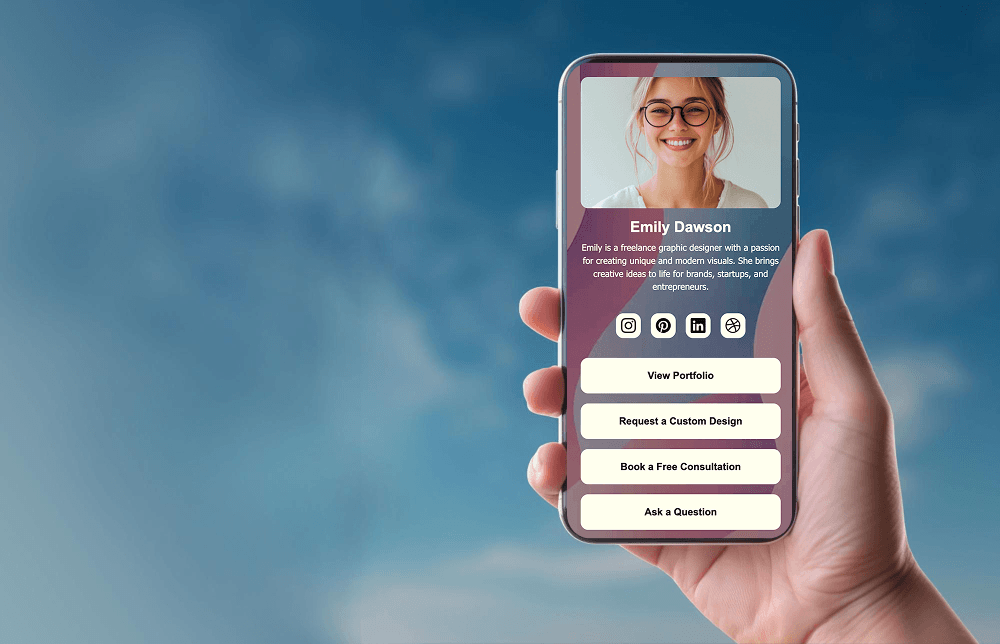
Why Use a Link Hub?
A link hub acts as your online directory.
Rather than sending people to different websites individually, you provide one page that connects them to everything you offer.
Benefits include:
- Share all your social profiles in one place.
- Promote multiple projects at once.
- Keep your online presence organized.
- Make it easier for followers to contact you.
- Update links without changing your bio URL.
- Strengthen your personal or business brand.
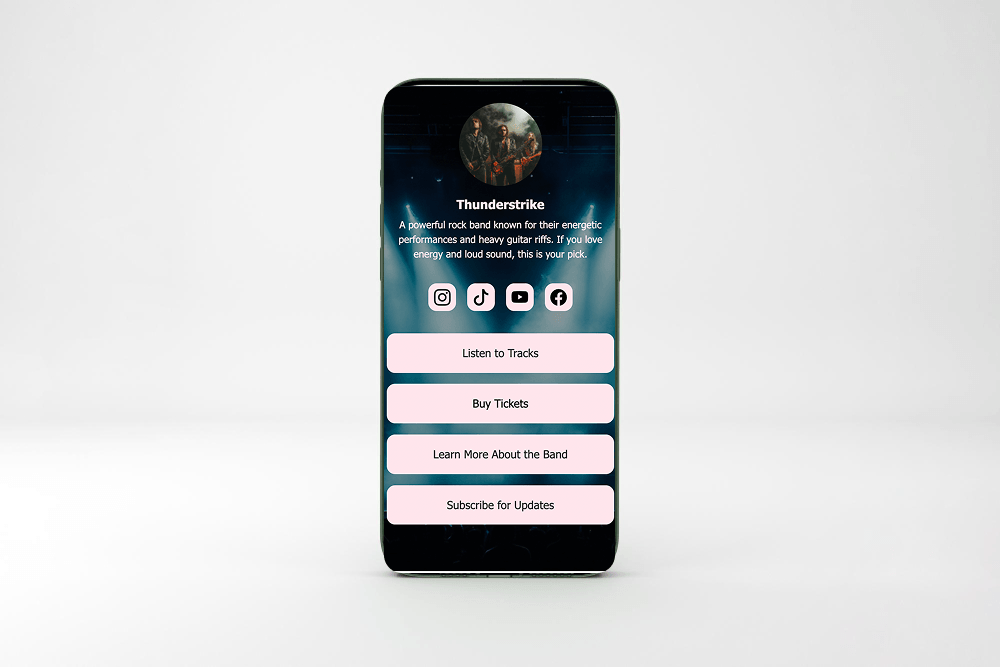
For example, a photographer can include links to Instagram, a portfolio, booking information, and a contact page. A musician can direct fans to streaming platforms, concert dates, merchandise, and newsletters.
What Should Your Link Hub Include?
An effective link in bio page is simple, organized, and easy to navigate.
Consider adding:
- Social media profiles
- Personal or business website
- Portfolio
- Blog
- Online store
- Booking page
- Newsletter signup
- Contact information
- Latest projects
- Featured content
Choose only the links that are most valuable for your audience to avoid overwhelming visitors.
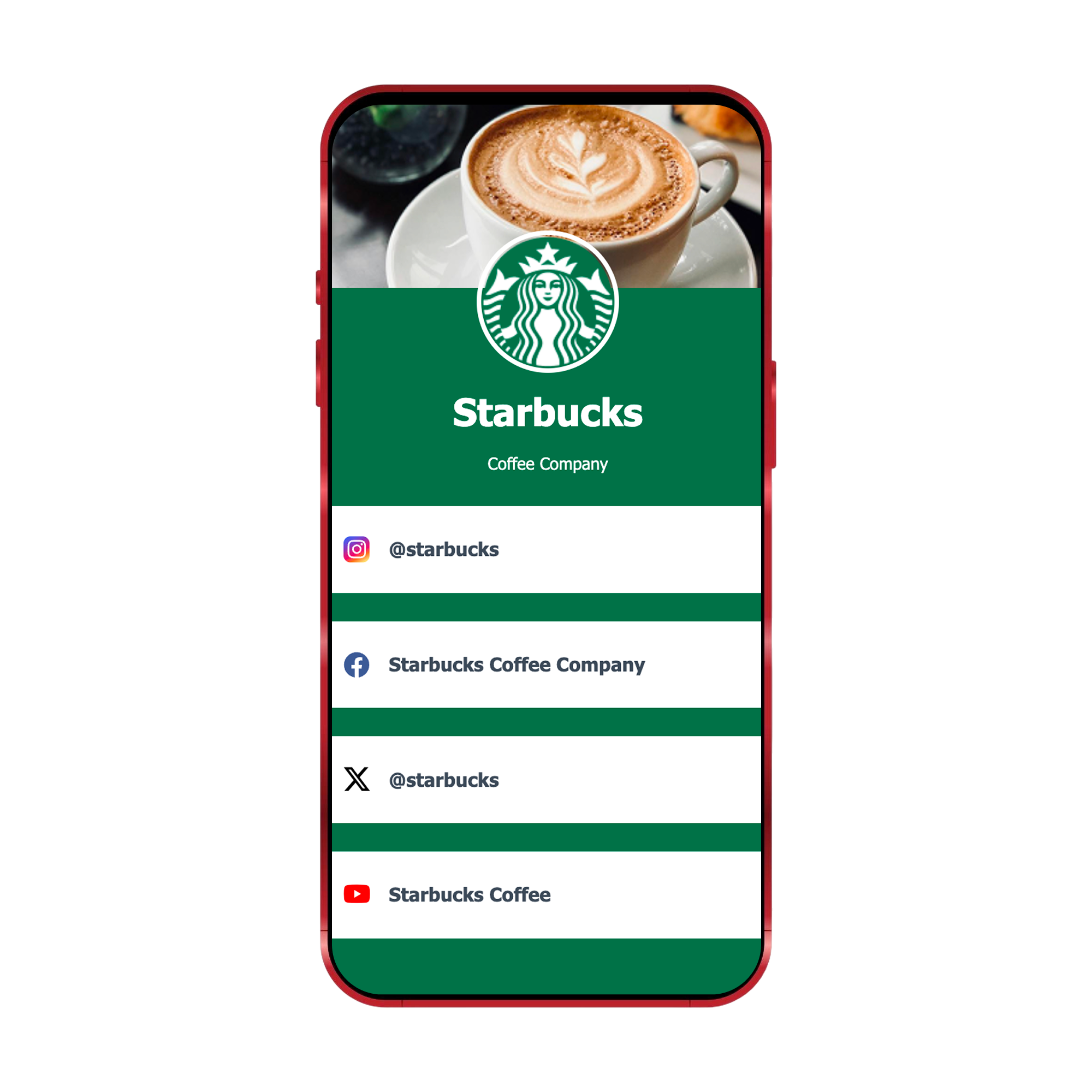
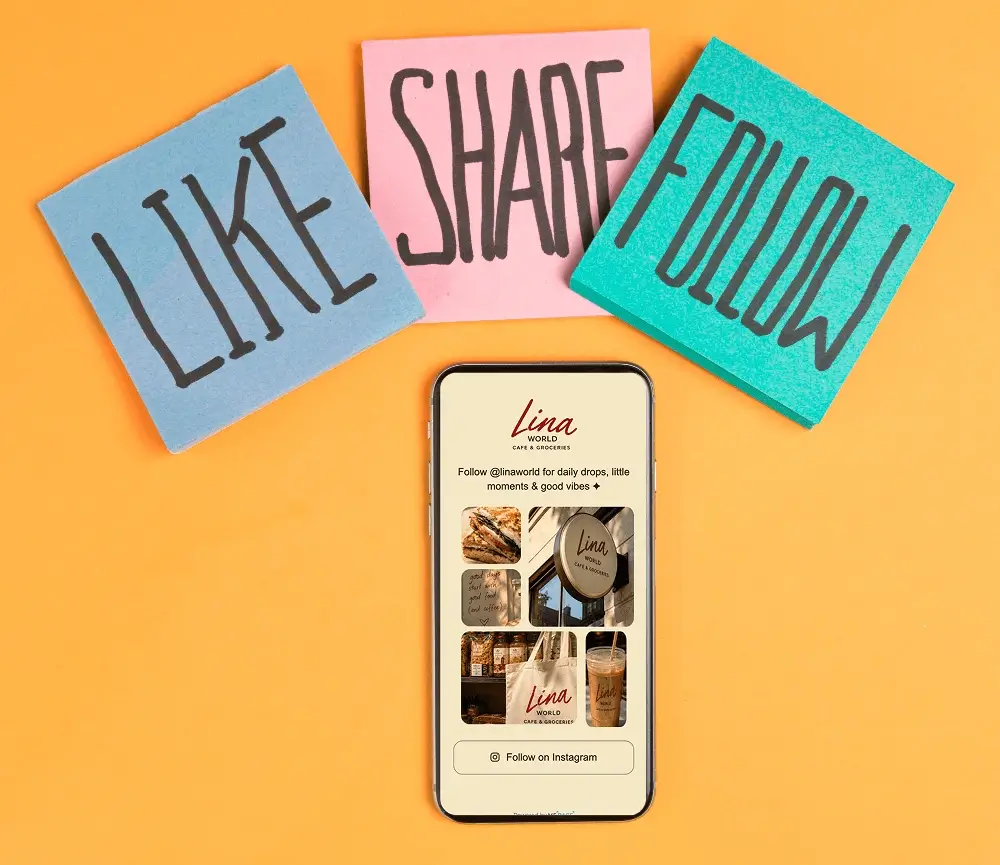
Start with a Strong Introduction
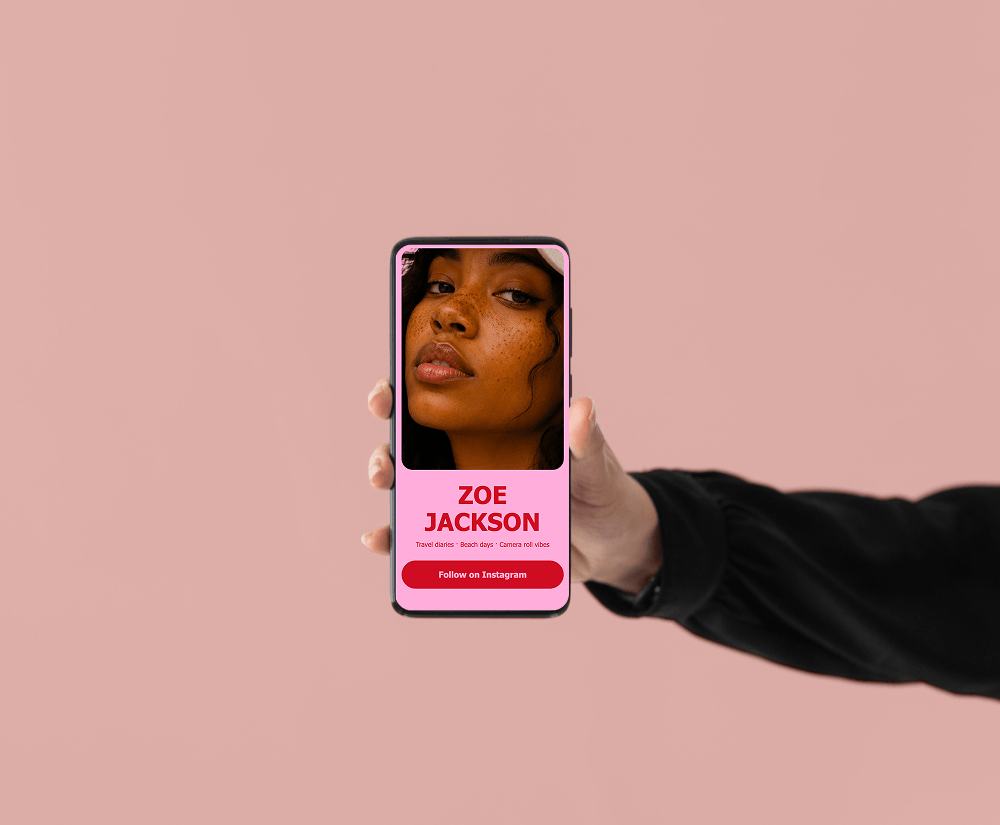
Your visitors should immediately know who you are.
Include:
- Your name or brand
- A short description
- A professional profile photo or logo
- A clear value proposition
For example:
- "Freelance Graphic Designer helping startups build memorable brands."
- "Travel blogger sharing guides, tips, and photography from around the world."
A concise introduction builds trust before visitors click any links.
Organize Links by Priority
Not every link deserves equal attention.
Place your most important destinations at the top.
For example:
- Latest promotion
- Online store
- Portfolio
- Newsletter
- Social media profiles
If you're launching a new product or event, move that link higher until the campaign ends.
Regular updates help keep your link hub relevant.
Keep the Design Clean
A clutter-free personal landing page encourages more clicks.
Good design practices include:
- Short button labels
- Readable fonts
- Consistent branding
- Balanced spacing
- High-quality images
- Clear calls-to-action
Visitors should immediately understand where each button leads.
Simple designs often perform better than overly decorative layouts.
Essential Sections for a Social Links Website
These sections create a social links website that is useful, professional, and easy to navigate.
Optimize for Mobile Users
Most people will visit your link in bio page from their smartphones.
Make sure your page:
- Loads quickly.
- Uses large, easy-to-tap buttons.
- Displays clearly on smaller screens.
- Keeps important links near the top.
- Avoids unnecessary scrolling.
A mobile-friendly experience helps visitors reach your content faster.
Keep Your Link Hub Updated
An outdated page can reduce engagement.
Review your links regularly to:
- Remove expired promotions.
- Add new projects.
- Update profile information.
- Replace broken links.
- Highlight seasonal campaigns.
For example, a content creator can feature a newly published video, while a small business can promote a limited-time offer.
Fresh content encourages repeat visits.
How ME-Page Helps You Build a Personal Landing Page
ME-Page offers flexible tools for creating a professional personal landing page without needing coding experience.
Some advantages include:
- Customizable layouts
- Easy link management
- Mobile-responsive design
- Flexible branding options
- Quick content updates
- Support for multiple pages as your online presence grows
Unlike a basic list of links, ME-Page allows you to build a page that reflects your personality or business while organizing content in a way that makes sense for your audience.
As your projects evolve, you can continue expanding your page without starting over.
Best Practices for a Successful Link Hub
To improve engagement:
- Prioritize your most important links.
- Use clear button labels.
- Keep branding consistent.
- Update content frequently.
- Remove outdated links.
- Include a professional profile photo.
- Test your page on mobile devices.
- Add links that provide real value.
- Make contact information easy to find.
- Review performance regularly.
Small improvements can lead to more clicks and better audience engagement.
Common Mistakes to Avoid
Avoid these common issues:
- Including too many links
- Using unclear button names
- Forgetting to update content
- Poor mobile optimization
- Inconsistent branding
- Broken links
- Missing contact information
- Hiding important links below the fold
A focused page usually performs better than one filled with unnecessary options.
Conclusion
A well-designed social links website gives your audience one convenient place to find everything you offer. Instead of constantly changing your bio link or directing followers to multiple platforms, a dedicated link hub keeps your online presence organized and easy to navigate.
Whether you're building a brand, growing a business, or sharing creative work, a professional link in bio page helps visitors discover your content more efficiently. With ME-Page, you can create a customizable personal landing page that reflects your identity, simplifies navigation, and grows alongside your projects.
Frequently Asked Questions about Link Hub
Creators, freelancers, small businesses, nonprofits, educators, musicians, and anyone managing multiple online profiles can use a link hub to make their content easier to access.
Was This Article Helpful?
Click on a star to rate it!
Average Rating: 5/5
Voutes: 1
Share with Friends:


Previous
Using Multi-Page Navigation to Improve User Experience
Next
Create High-Converting Product Landing Pages
Recent Articles
Everything You Need to Know About Using ME-Page Constructor for Your Website.
SEO Checklist Before Publishing Your Website
Launching a new website is exciting, but hitting the Publish button shouldn't be the final step. Before your w...
Best Call-to-Action Examples for Business Websites
A visitor lands on your website, reads your content, checks your services, and likes what they see. But what h...
Why Your Business Needs a Dedicated Contact Page
Your website can have an impressive homepage, detailed service pages, and engaging content, but there's one pa...
Build a Link-in-Bio Page That Converts
Turn more of your followers into paying fans When a fan taps your link inside Instagram or TikTok, it opens in...
Image SEO Tips to Help Your Website Rank Higher
Images can make a website more attractive, easier to understand, and more memorable. But adding images alone i...
How to Build a Professional About Us Page
When visitors land on your website, they usually want answers to two questions: "What do you do?" and "Who are...
SEO Checklist Before Publishing Your Website
Launching a new website is exciting, but hitting the Publish button shouldn't be the final step. Before your w...
Best Call-to-Action Examples for Business Websites
A visitor lands on your website, reads your content, checks your services, and likes what they see. But what h...
Why Your Business Needs a Dedicated Contact Page
Your website can have an impressive homepage, detailed service pages, and engaging content, but there's one pa...
Build a Link-in-Bio Page That Converts
Turn more of your followers into paying fans When a fan taps your link inside Instagram or TikTok, it opens in...
Image SEO Tips to Help Your Website Rank Higher
Images can make a website more attractive, easier to understand, and more memorable. But adding images alone i...
How to Build a Professional About Us Page
When visitors land on your website, they usually want answers to two questions: "What do you do?" and "Who are...










