Me-Page Team
Last modified 7 Nov 2025
Article Plan
- Why Customize Your Website?
- Customization Basics: HTML vs. CSS (Simple Explanation)
- Customizing Your Page Using the Visual Editor (No Coding Needed)
- Using Additional Settings to Apply HTML and CSS
- When Should You Use CSS?
- Previewing Before Publishing
- Bonus Tip: Generate a QR Code Instantly
- Final Thoughts: Creativity Starts With Control
Creating a website should feel personal. It should look and function the way you imagine—not just like another template online. ME-Page makes this possible by giving you simple visual editing tools along with the option to use HTML and CSS for deeper customization.
Whether you're new to building websites or already comfortable adjusting layouts and styles, ME-Page gives you complete control to shape your site your way using the ME-Page HTML editor and ME-Page CSS customization tools.
This guide will show you how to use ME-Page’s website code editor step-by-step—explained clearly and simply, no complicated coding required.

Why Customize Your Website?
Pre-made templates are great for getting started quickly. But your website represents your brand, personality, or project. Customizing your design helps you:
- Stand out from similar websites
- Create a consistent brand style
- Improve readability and user experience
- Add your own creative elements
With ME-Page, you don’t have to choose between convenience and creativity—you can have both. You can edit website code or use the visual website editor depending on your comfort level.
Customization Basics: HTML vs. CSS (Simple Explanation)
Before we get into how to edit your ME-Page website code, here’s the easiest way to understand the difference:
- HTML controls what appears on your page.
Example: text, images, buttons, sections. - CSS controls how everything looks.
Example: size, color, spacing, background, layout.
You don’t need to know coding to customize your website with ME-Page, but if you ever want more personalization, the custom HTML blocks and CSS tools are there for you.
Customizing Your Page Using the Visual Editor (No Coding Needed)
Drag, Drop, and Design Instantly
Let’s start with the simplest method.
The visual editor in ME-Page allows you to adjust your content just by clicking and editing. When we say “HTML editing,” it means you can edit the structure and content using the on-screen editor—without typing any code.
With the ME-Page visual editor, you can:
- Change font size, font style, and font color
- Customize the background image or color of the entire page or individual blocks
- Add new sections using ready-made layout blocks
- Move elements up or down to rearrange your layout
- Insert images, videos, icons, links, and buttons
- Create new sections for custom HTML blocks
This is the easiest and most beginner-friendly approach. You see your changes instantly—no coding required.
Using Additional Settings to Apply HTML and CSS
Take Your Website Design to the Next Level
Now, let’s talk about customization for users who want to go beyond the basic editor. ME-Page’s Additional Settings allow you to apply custom HTML and CSS for advanced website design.
Editing with HTML (Still Beginner-Friendly)
You don’t have to write code manually. Instead, ME-Page allows you to edit website code visually:
- Adjust font styles and sizes inside the text editor
- Change the background or block layout
- Add or remove elements to shape your structure
- Build new sections using custom HTML blocks
This gives you the freedom to design confidently without needing to learn coding—perfect for users experimenting with the ME-Page HTML editor.
Editing with CSS (For More Personalization)
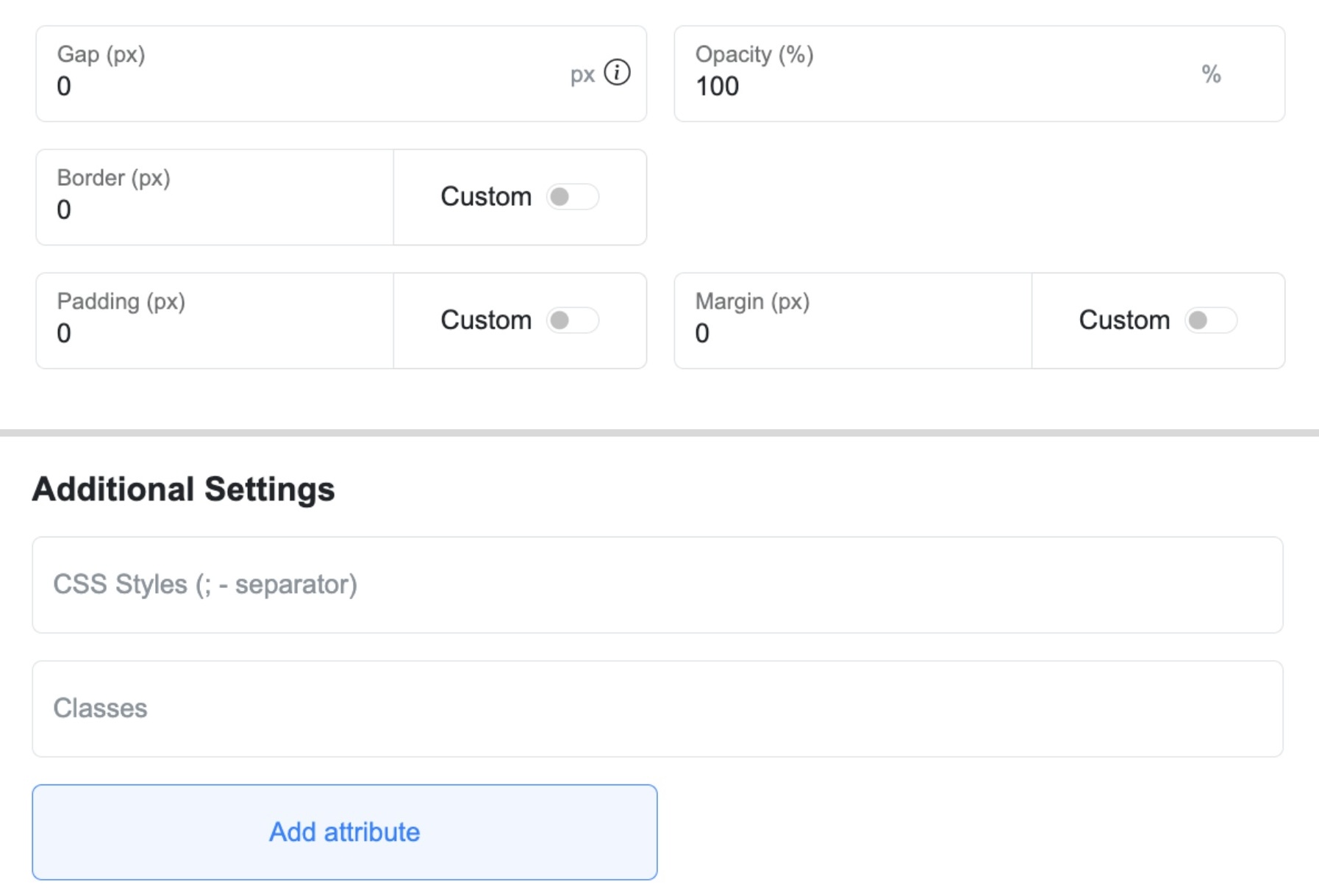
If you want even more control, ME-Page allows you to apply your own styling through two fields located in the Additional Settings:
- CSS Styles: Write custom style rules that apply only to the selected block. Great for adjusting spacing, alignment, layering, and more.
- Classes: If you use reusable class names, enter them here to apply consistent styling across multiple blocks.
When Should You Use CSS?
Use CSS customization when you want to:
- Adjust spacing or padding precisely
- Change how blocks align or overlap
- Personalize your layout beyond the visual editor
- Apply your existing brand style rules
Think of CSS as your fine-tuning tool. You don’t need it to build your page—but it becomes powerful once you’re ready to experiment.
Previewing Before Publishing
One of the best features of ME-Page is real-time editing and previewing.
As you make changes, you see them instantly on the screen. This means:
- No guessing
- No trial-and-error
- No switching between tabs to preview changes
When your page looks perfect, click Publish, and your website updates instantly online.
This makes ME-Page one of the most efficient website code editors for creators who value speed and flexibility.
Bonus Tip: Generate a QR Code Instantly
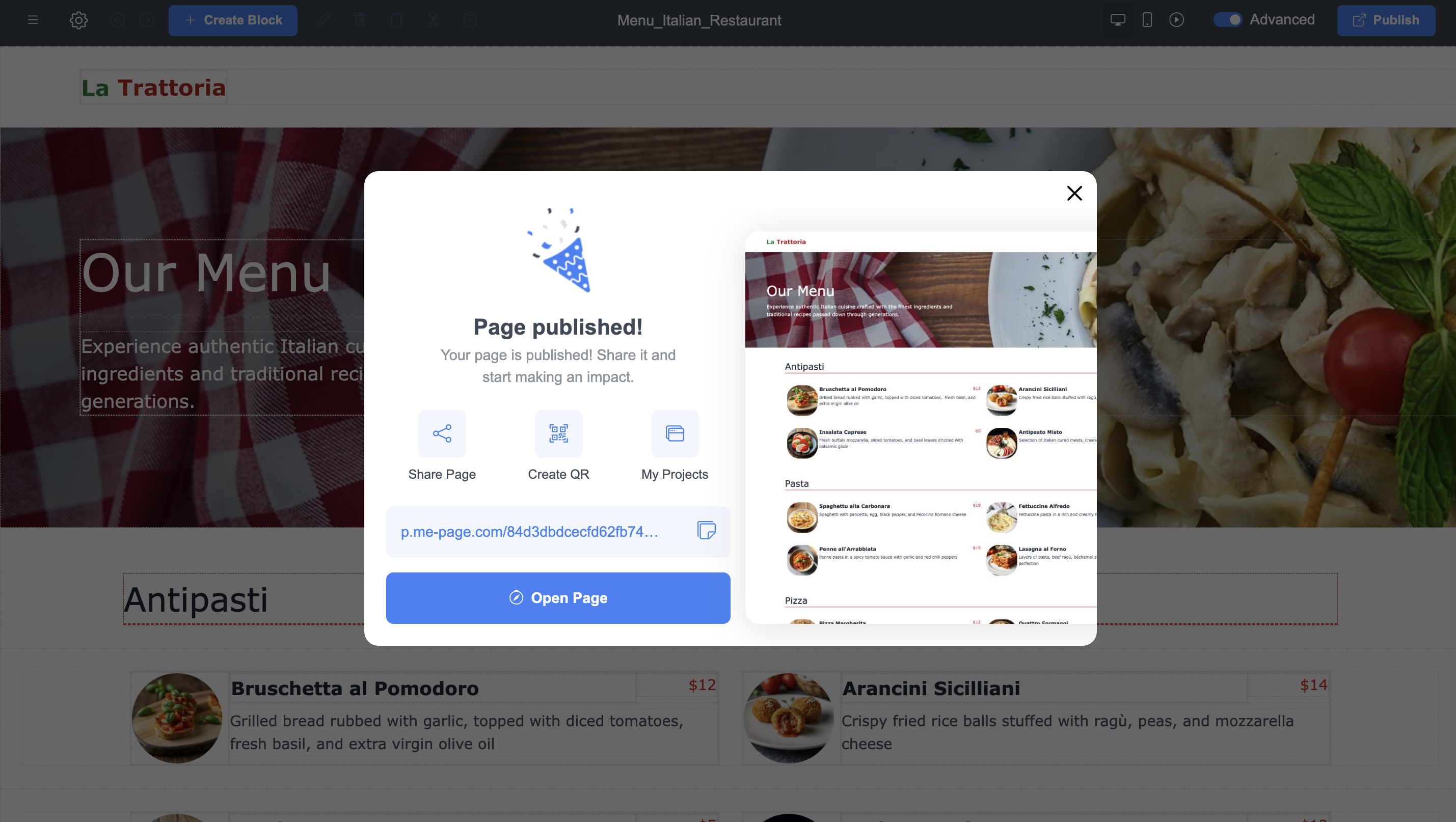
Once your site is published, ME-Page allows you to create a QR code directly from your dashboard. You can:
- Generate it instantly
- Customize its style
- Download it for printing or sharing
Perfect for business cards, event flyers, menus, or storefronts—visitors can access your site with one quick scan.
Final Thoughts: Creativity Starts With Control
ME-Page gives you the freedom to build a site that truly reflects you. Whether you prefer drag-and-drop editing or want to edit website code using custom HTML and CSS, the platform adapts to your skills and goals.
Start small—adjust fonts, colors, and backgrounds—and explore deeper customization when you’re ready. With the right website customization tips, you can turn any idea into a beautiful, functional design.
Your website is your online identity.
With ME-Page, you’re not limited by templates—you’re empowered by options.
Your site. Your style. Your creativity.
Was This Article Helpful?
Click on a star to rate it!
Average Rating: 4/5
Voutes: 2
Share with Friends:



Previous
How to Track Visitor Traffic on Your ME-Page Website Using Free Tools
Next
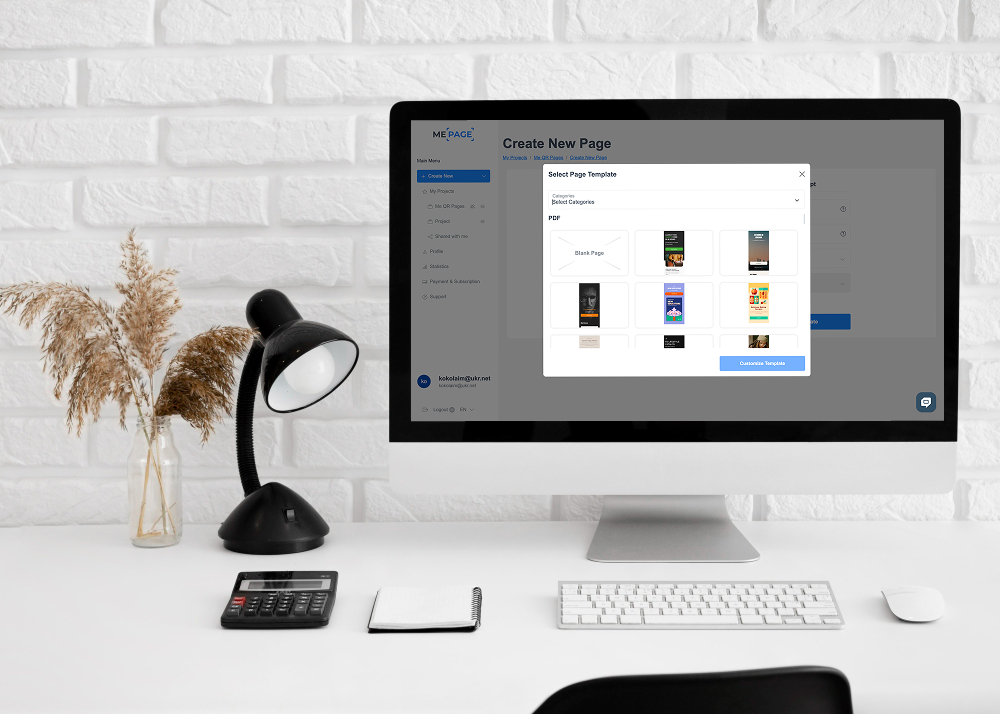
Choosing the Right Template for Your First Website
Recent Articles
Everything You Need to Know About Using ME-Page Constructor for Your Website.
Using Multi-Page Navigation to Improve User Experience
As your website grows, visitors need an easy way to move between pages without getting lost. Whether you're bu...

How Internal Links Improve SEO on Multi-Page Websites
When people think about SEO, they often focus on keywords, backlinks, or content creation. While those factors...
How to Choose the Best Homepage Layout for Your Goals
Your homepage is often the first impression visitors have of your brand. Within just a few seconds, people dec...

How to Plan Your Website Before You Start Building
Building a website can feel exciting. You may already be thinking about colors, images, fonts, and clever head...
Using Subpages to Build Service, Pricing, and About Pages
As your website grows, placing all your information on a single page becomes less effective. Visitors want to ...

Why Every Artist Needs a Website Beyond Social Media
For artists, musicians, photographers, illustrators, and other creatives, social media has become an important...
Using Multi-Page Navigation to Improve User Experience
As your website grows, visitors need an easy way to move between pages without getting lost. Whether you're bu...
How Internal Links Improve SEO on Multi-Page Websites
When people think about SEO, they often focus on keywords, backlinks, or content creation. While those factors...
How to Choose the Best Homepage Layout for Your Goals
Your homepage is often the first impression visitors have of your brand. Within just a few seconds, people dec...
How to Plan Your Website Before You Start Building
Building a website can feel exciting. You may already be thinking about colors, images, fonts, and clever head...
Using Subpages to Build Service, Pricing, and About Pages
As your website grows, placing all your information on a single page becomes less effective. Visitors want to ...
Why Every Artist Needs a Website Beyond Social Media
For artists, musicians, photographers, illustrators, and other creatives, social media has become an important...










