Me-Page Team
Last modified 3 Sep 2025
Whether you’re a tutor, a school, or an organization offering training courses, your audience expects an online presence. People don’t flip through flyers anymore—they Google, they scroll, and they click. Having an education website is no longer optional; it’s essential.
The good news? You don’t need to hire an expensive developer or spend weeks coding. With a modern education website builder like ME-Page, you can launch a professional site in hours, not months.Create a Professional E-Learning Site in 6 Simple Steps
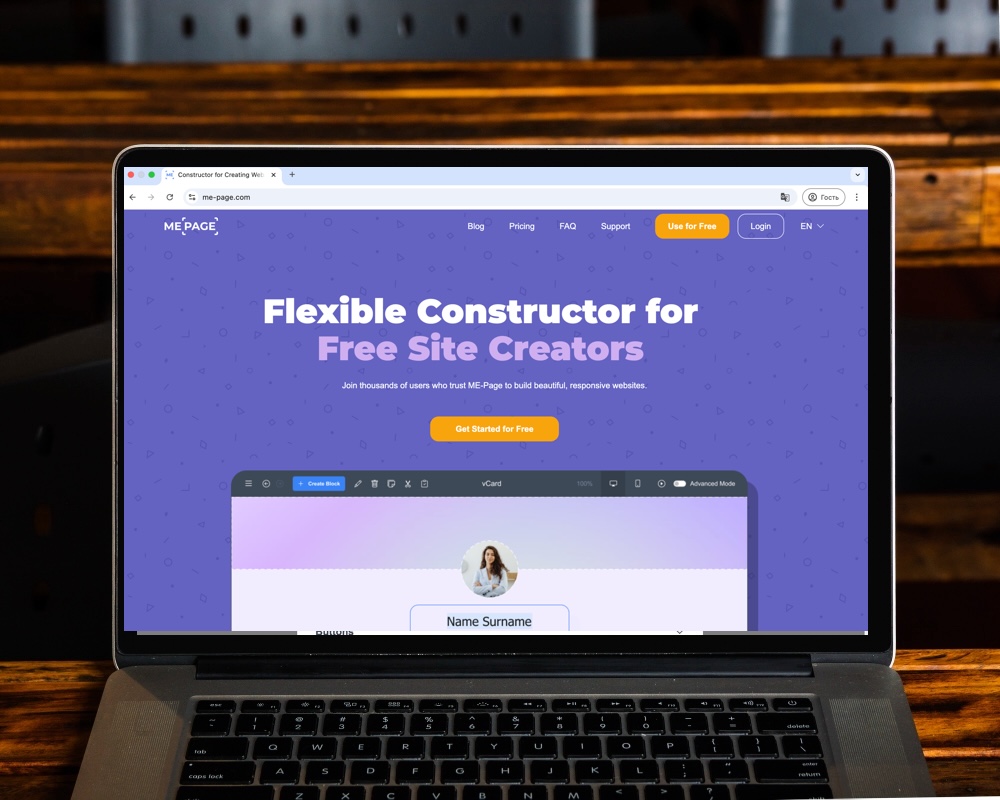
Step 1: Choose the Right Education Website Builder
Your website builder is the foundation of your online classroom. ME-Page makes the process simple with tools designed for beginners and customization options for advanced users. You get:
- Drag-and-drop editing that saves time
- Templates designed for schools, tutors, and training programs
- Mobile-ready layouts so students can learn on the go
- Built-in features like QR integration for easy access
By starting with ME-Page, you’re not just building a website—you’re creating a platform for growth.
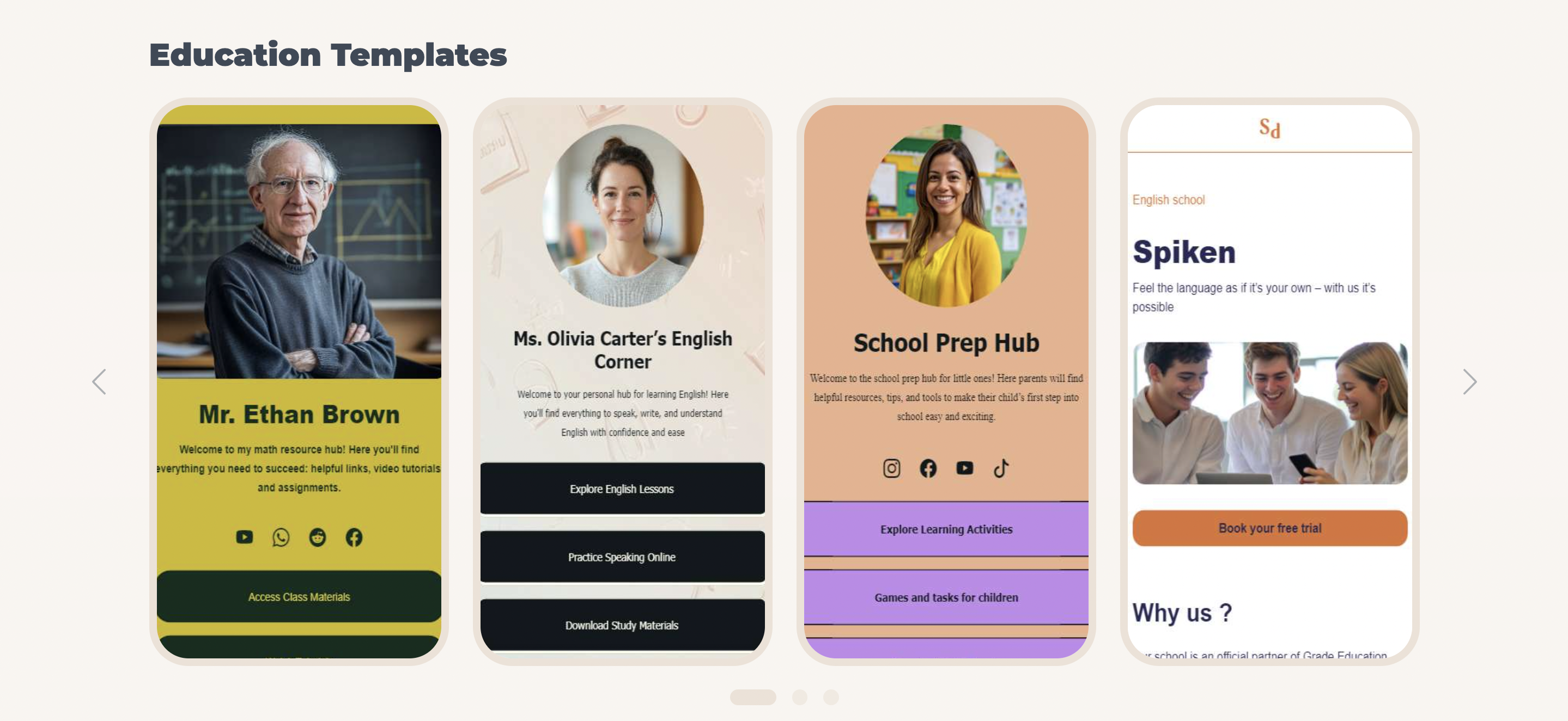
Step 2: Pick a School Website Template That Fits Your Brand
A template is like your digital classroom’s floor plan. ME-Page offers flexible school website templates that you can adapt to your brand:
- For Schools & Colleges – Highlight programs, faculty, and enrollment forms
- For Tutors & Coaches – Display your services, availability, and testimonials
- For Training Centers – Share course lists, pricing, and registration options
Since every template is customizable, you can start simple and add features as your needs grow.

Step 3: Design with Students in Mind
When designing your site, always think from a learner’s perspective:
- Clear Navigation – Make courses, schedules, and contact info easy to find
- Readable Content – Use concise text, bullet points, and visuals
- Responsive Design – Many learners access sites from mobile, so your layout should adapt seamlessly
With ME-Page’s responsive system, you don’t need to worry about multiple versions—your site works across devices automatically.
Step 4: Add E-Learning Features
A great e-learning site goes beyond text. You can enhance your website with:
- Video tutorials – Embed lessons or course introductions
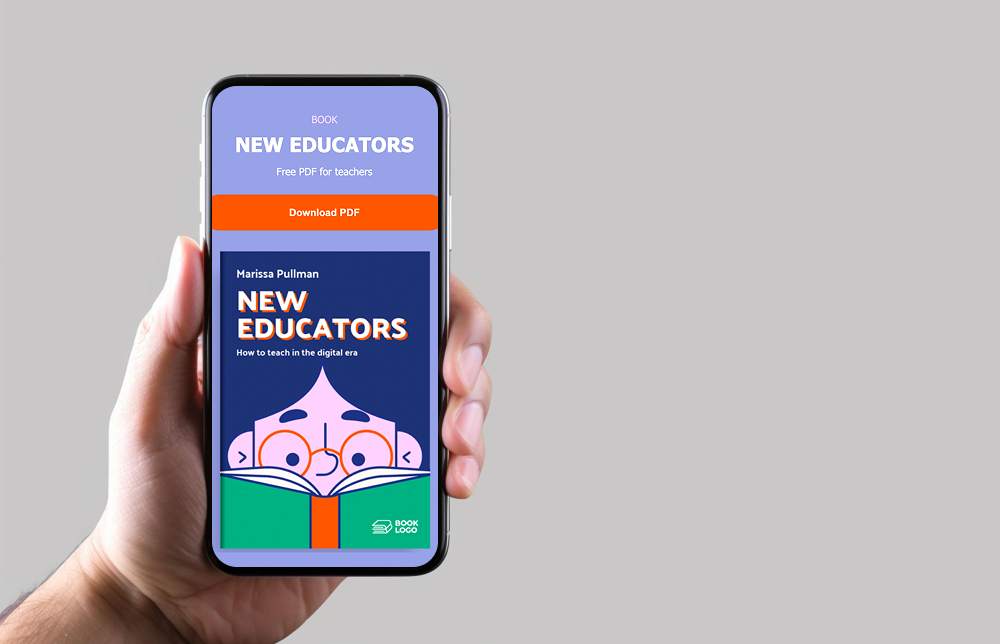
- Downloadable resources – Offer PDFs, worksheets, or assignments
- Registration forms – Let students sign up online
- Payment options – Collect fees directly through integrated tools
Even if you start with a simple site, you can expand to include these as your courses grow.

Step 5: Share and Promote Your Site
A website without visitors is like an empty classroom. To spread the word:
- Share your link on social media
- Add a QR code to flyers or posters for easy access
- Ask satisfied students to leave testimonials
- Use SEO basics—keywords like e-learning site or training website—to rank on Google
ME-Page even generates QR codes automatically, so you can print them on brochures or share them digitally.
Step 6: Keep Updating Your Content
Education is always evolving—and so should your site. Keep things fresh by:
- Posting new courses or training sessions
- Updating class schedules regularly
- Sharing blog posts or learning resources
- Highlighting student success stories
Consistency builds trust and keeps learners coming back.


Your Roadmap to an Online Learning Space
Building an education or training website doesn’t have to be complicated. With ME-Page’s education website builder, you can pick a school website template, add your courses, and transform it into a full e-learning site that grows with you.
Think of your website as your digital campus. It’s where students discover you, where learning begins, and where your brand shines. Whether you’re running a tutoring business, managing a school, or launching an online academy, the first step is simply starting
Final Thoughts: Teaching Without Limits
Your knowledge deserves an audience, and the internet is the biggest classroom in the world. By building your site with ME-Page, you remove barriers—no technical stress, no expensive developers, just a platform designed for education.
Every student who scans your QR code, clicks your link, or signs up for a class becomes part of your learning community. And the best part? You can keep expanding—adding more courses, resources, and features as you grow.
So, don’t just teach—share, inspire, and build a digital classroom that works 24/7. With the right tools, your teaching can reach farther than ever before
Was This Article Helpful?
Click on a star to rate it!
Average Rating: 4.5/5
Voutes: 2
Share with Friends:



Previous
Adding QR Codes to Your ME-Page Website

Next
Top Features Every Business Website Should Have
Recent Articles
Everything You Need to Know About Using ME-Page Constructor for Your Website.

Using Multi-Page Navigation to Improve User Experience
As your website grows, visitors need an easy way to move between pages without getting lost. Whether you're bu...

How Internal Links Improve SEO on Multi-Page Websites
When people think about SEO, they often focus on keywords, backlinks, or content creation. While those factors...
How to Choose the Best Homepage Layout for Your Goals
Your homepage is often the first impression visitors have of your brand. Within just a few seconds, people dec...

How to Plan Your Website Before You Start Building
Building a website can feel exciting. You may already be thinking about colors, images, fonts, and clever head...
Using Subpages to Build Service, Pricing, and About Pages
As your website grows, placing all your information on a single page becomes less effective. Visitors want to ...

Why Every Artist Needs a Website Beyond Social Media
For artists, musicians, photographers, illustrators, and other creatives, social media has become an important...
Using Multi-Page Navigation to Improve User Experience
As your website grows, visitors need an easy way to move between pages without getting lost. Whether you're bu...
How Internal Links Improve SEO on Multi-Page Websites
When people think about SEO, they often focus on keywords, backlinks, or content creation. While those factors...
How to Choose the Best Homepage Layout for Your Goals
Your homepage is often the first impression visitors have of your brand. Within just a few seconds, people dec...
How to Plan Your Website Before You Start Building
Building a website can feel exciting. You may already be thinking about colors, images, fonts, and clever head...
Using Subpages to Build Service, Pricing, and About Pages
As your website grows, placing all your information on a single page becomes less effective. Visitors want to ...
Why Every Artist Needs a Website Beyond Social Media
For artists, musicians, photographers, illustrators, and other creatives, social media has become an important...










